
Why has my outreach stopped, and how do I start it again?
Outreach stops for one of two reasons, and the colour of the bar across the top tells you which. Amber means it is paused, and the button on the bar starts it. Red means LinkedIn stopped accepting the sign-in, and you reconnect.
Updated 25 September 2026
Take me there
An amber bar means it is paused
It reads Your outreach is paused. Nothing is being sent until you resume it. It sits above every Outreach screen. Further down, the status may still say running and show actions queued; trust the amber bar.
If instead it reads Your outreach is set up and paused. Start your free trial to switch it on, you haven't started Outreach yet. Its button, Start my free trial, is how you start it, and nothing goes out until you do.
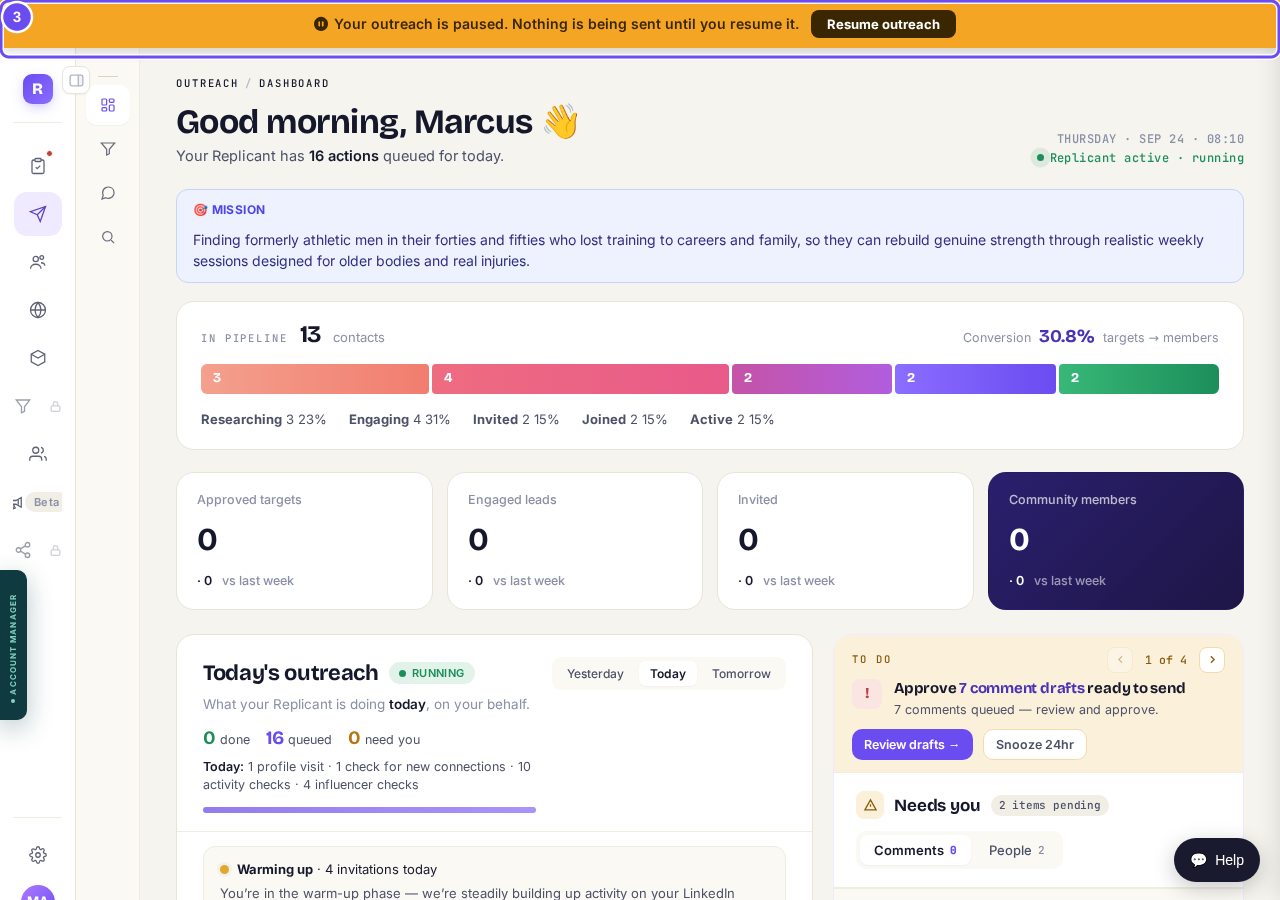
Amber: paused. Resume outreach is on the bar itself.
Take me therePress Resume outreach
Press Resume outreach on the bar. The same switch lives in Settings, then Outreach, on a card called Pause outreach, which is also where you pause it on purpose: invitations, comments and profile reading all stop together.
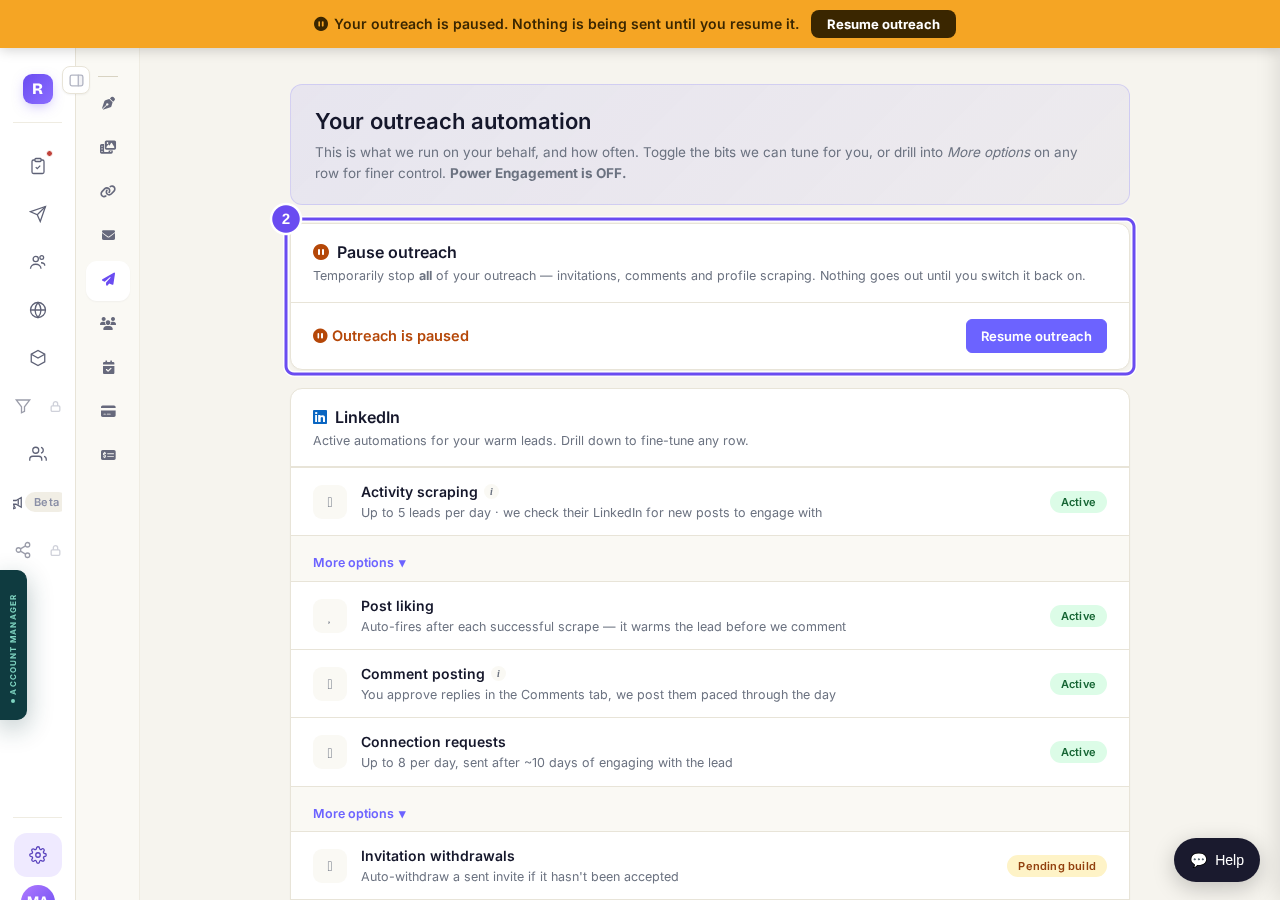
Settings, then Outreach: the same switch, with Resume outreach.
A red band means LinkedIn let go
It reads LinkedIn disconnected, outreach paused until you reconnect. It appears only if you connected LinkedIn and later lost it. Nothing goes out while it's there.
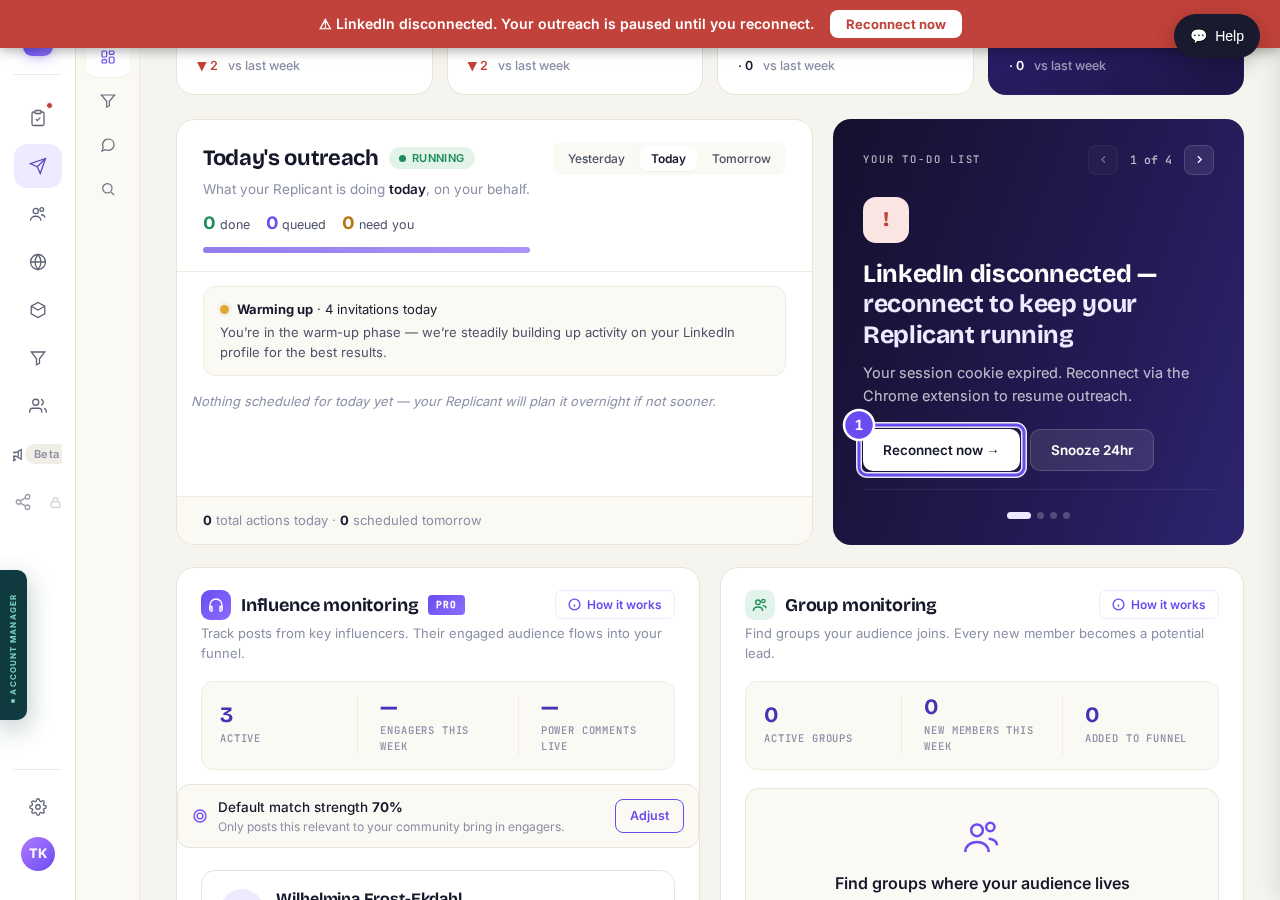
The band sits above every screen until the connection is back.
Take me therePress Reconnect now and sign in
Press Open LinkedIn and sign in. Come back; the screen spots it by itself, or press Check now. If your browser has lost the extension, it offers to reinstall first.
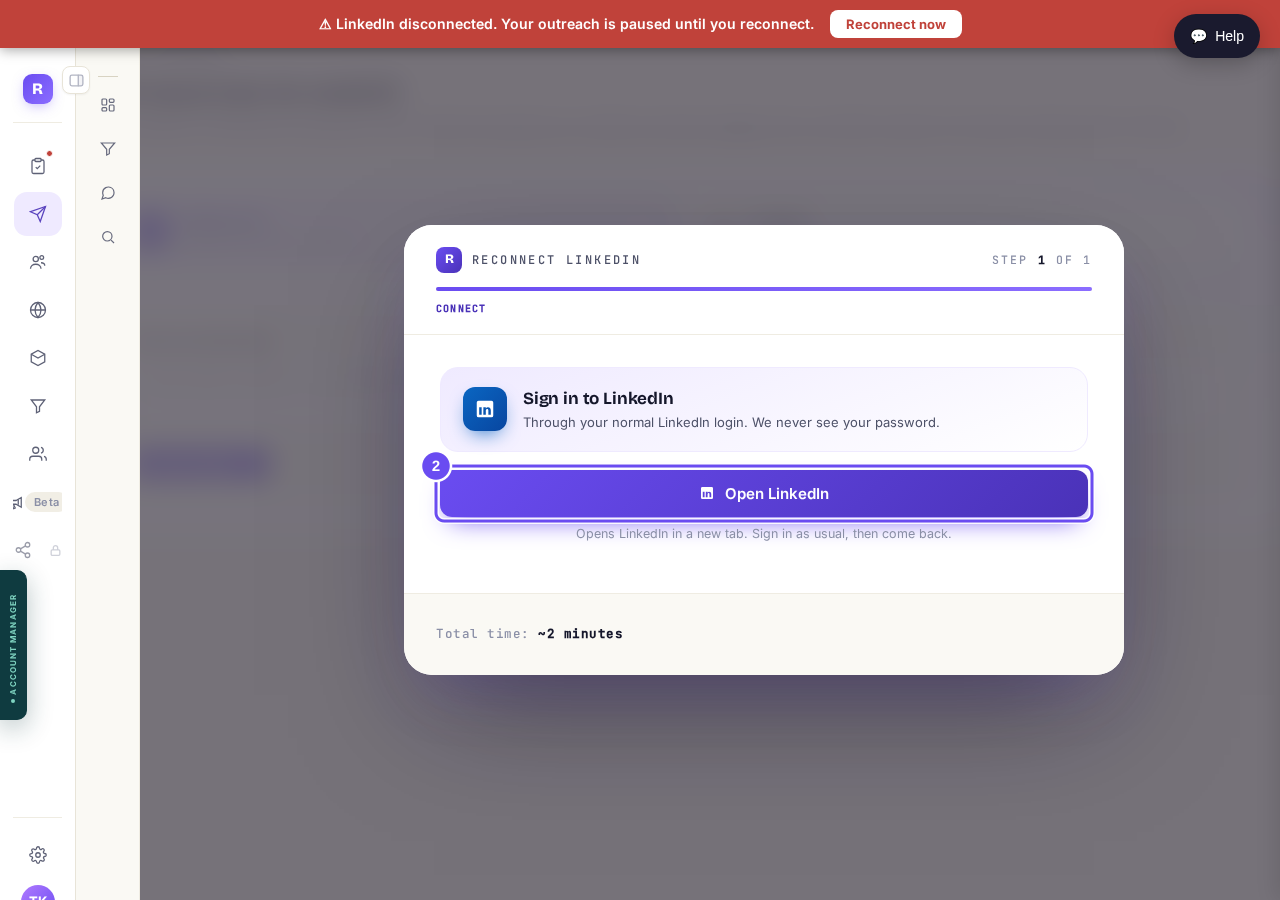
One screen, one button, and your own normal LinkedIn login.
Expect a quiet first few hours
Today's outreach reads nothing scheduled yet. The first action waits about two hours, the next two about three apart. Normal volume returns tomorrow. Reconnecting again restarts that wait.
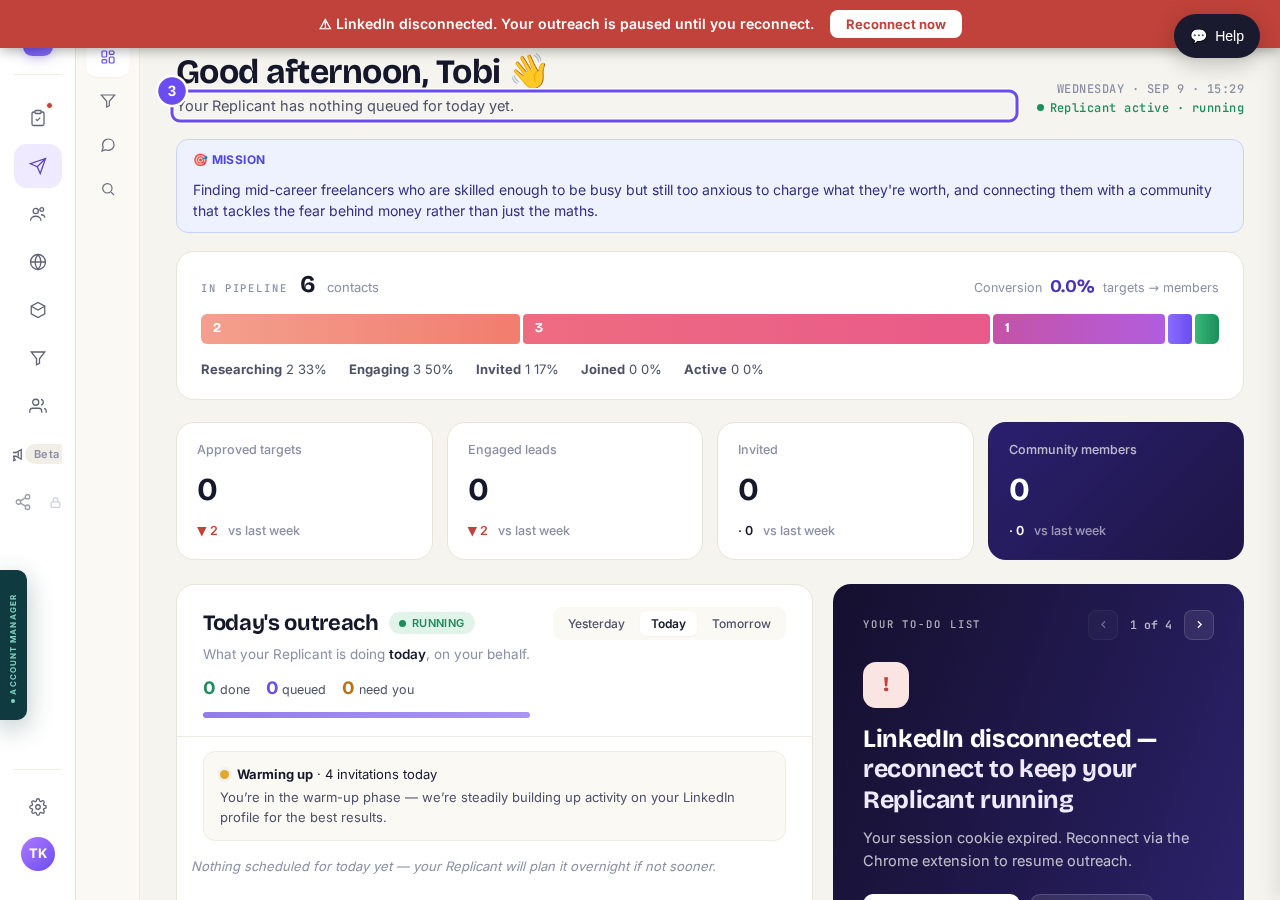
Nothing scheduled today. This is where life comes back.
Spot a flat week in the boxes
The four boxes count seven days against the seven before; a stop takes them to zero. Flat boxes with no amber bar and no red band mean something else. Ask us.
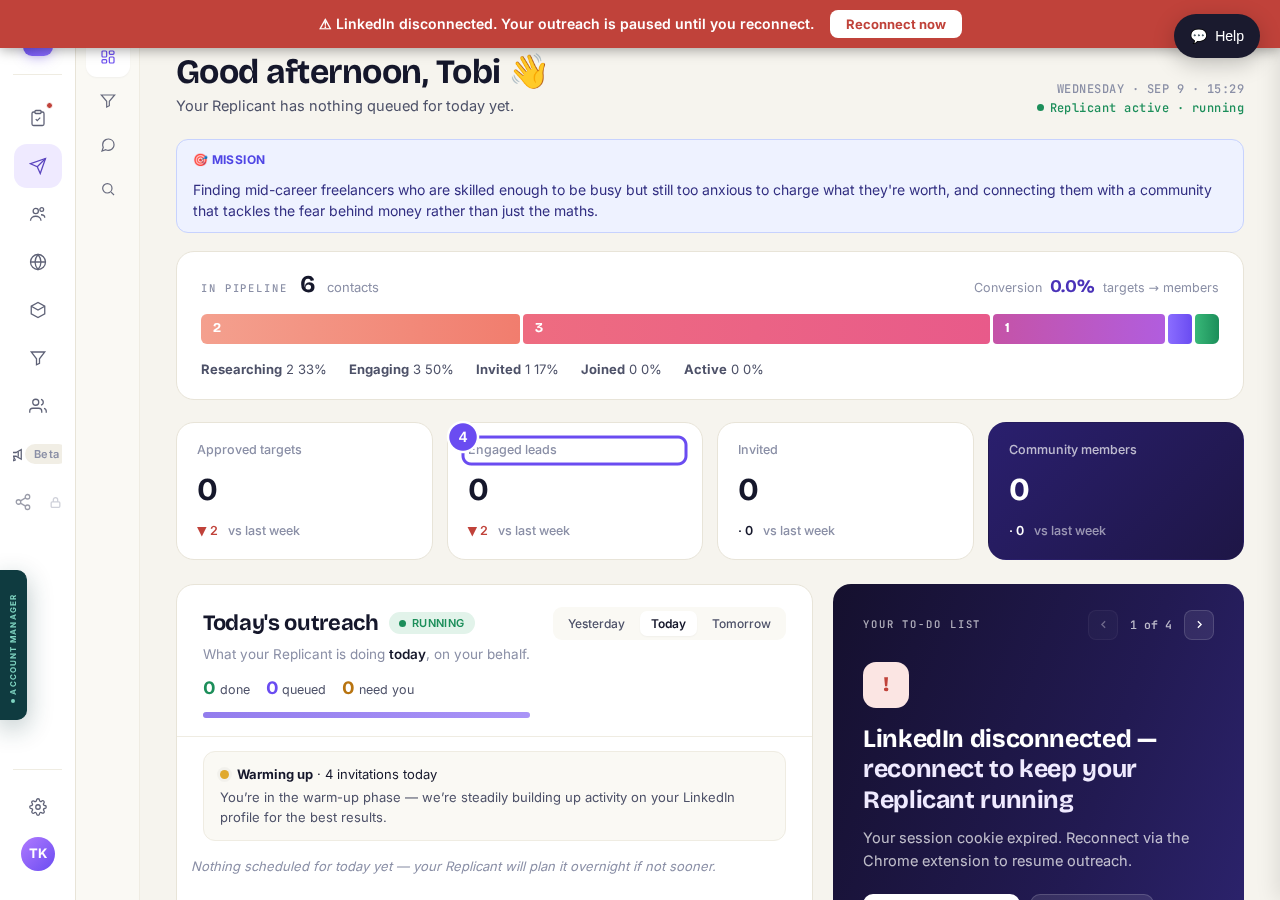
Four boxes at zero, each one down on last week.
Reconnect the same day
Your to-do list carries the same prompt, with a button to put it off a day. A second disconnection inside seven days steps your daily activity down for about a week; a third, longer.
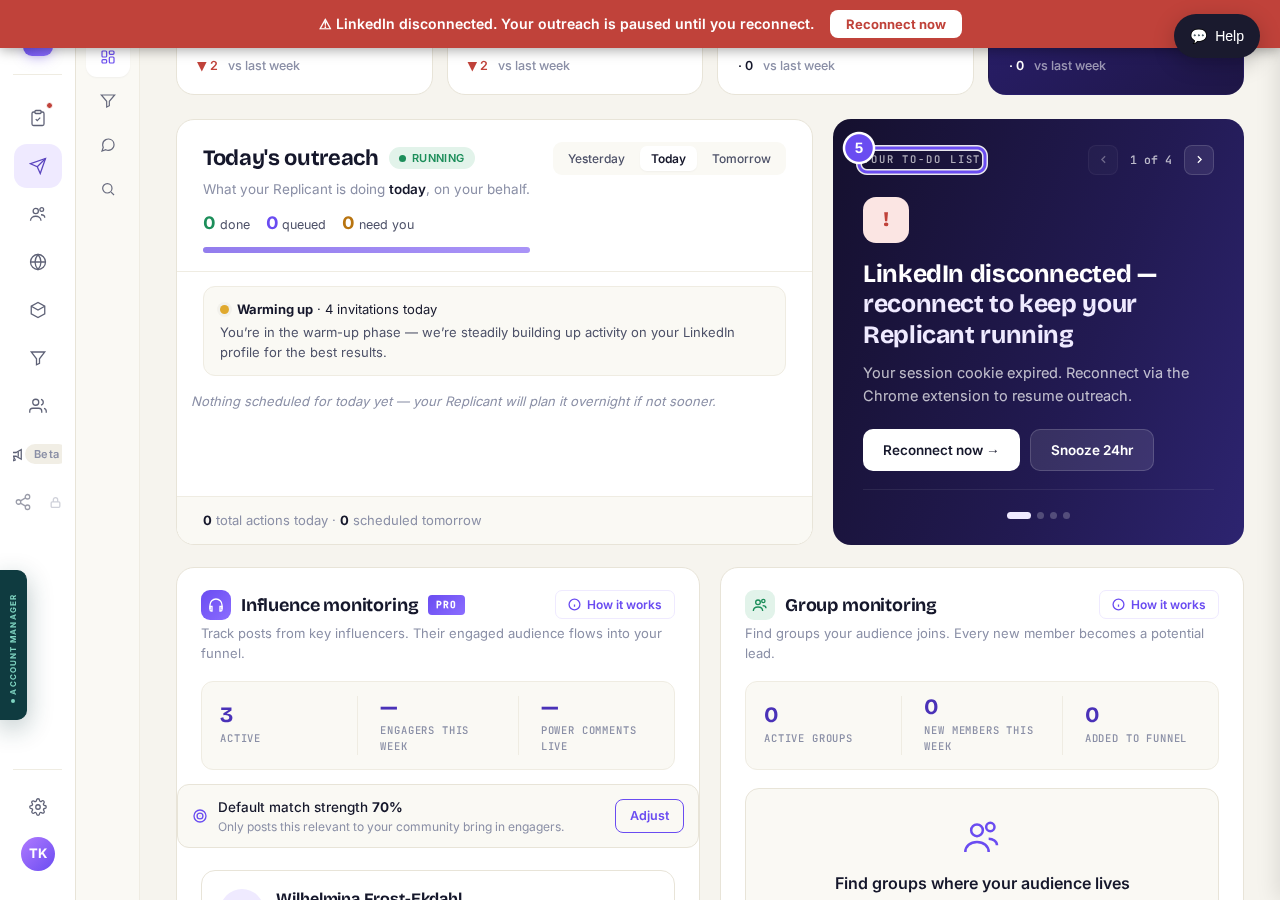
The same prompt again, with the option to put it off for a day.
Take me there
How do I check a comment before it goes out?
Related articles
Can I use Outreach on Instagram or X?
Not yet. Today Outreach works on LinkedIn only, through your own account. Instagram and X are coming soon, and nothing you set up now is wasted.
Do my new connections get a welcome email automatically?
Yes. If you use Outreach, every new connection gets a welcome email by itself, as soon as we have their email address. The LinkedIn welcome message is the one that waits for your go-ahead. One screen shows you both, in about two minutes.
How does Outreach turn strangers into community members?
Outreach finds people who have recently shown an interest in the problem you solve, gets your name in front of them on LinkedIn, and brings the ones who say yes into your community. Most of it runs by itself. Your part is a few minutes a day approving comments, and then making new members feel welcome.