
How do I see who needs me today?
Open Community, then Dashboard, and scroll past the charts. Two lists underneath show who's waiting on you, each with a count.
Updated 15 September 2026
Start with Needs your reply
It lists members who posted or commented and haven't heard back. The count sits beside the heading; at zero the card isn't there.
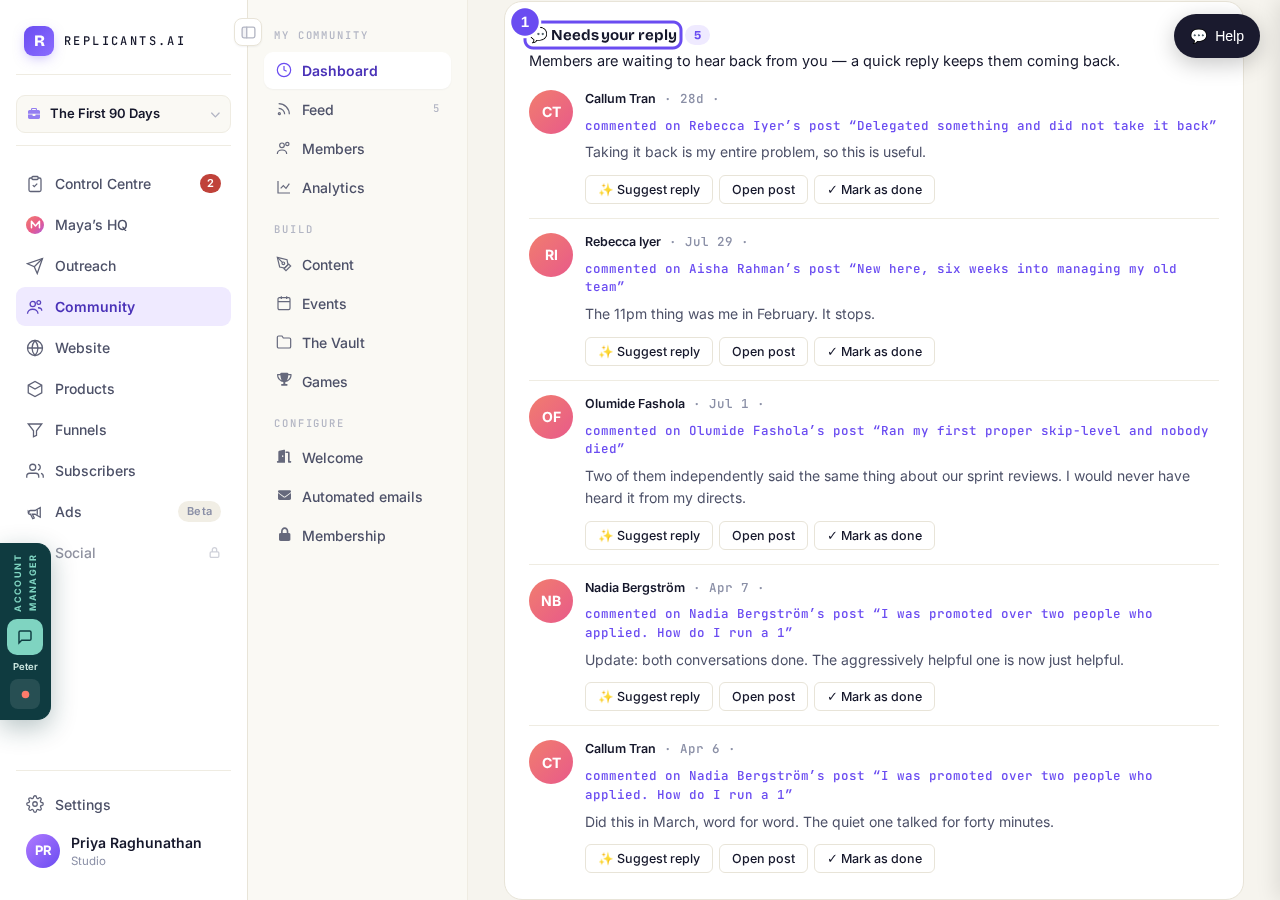
The count tells you whether today needs five minutes or none.
Take me thereScroll to Welcome new members
People who joined recently and haven't had a word from you. Each row shows what they wrote about themselves on joining. There's no third place to check.
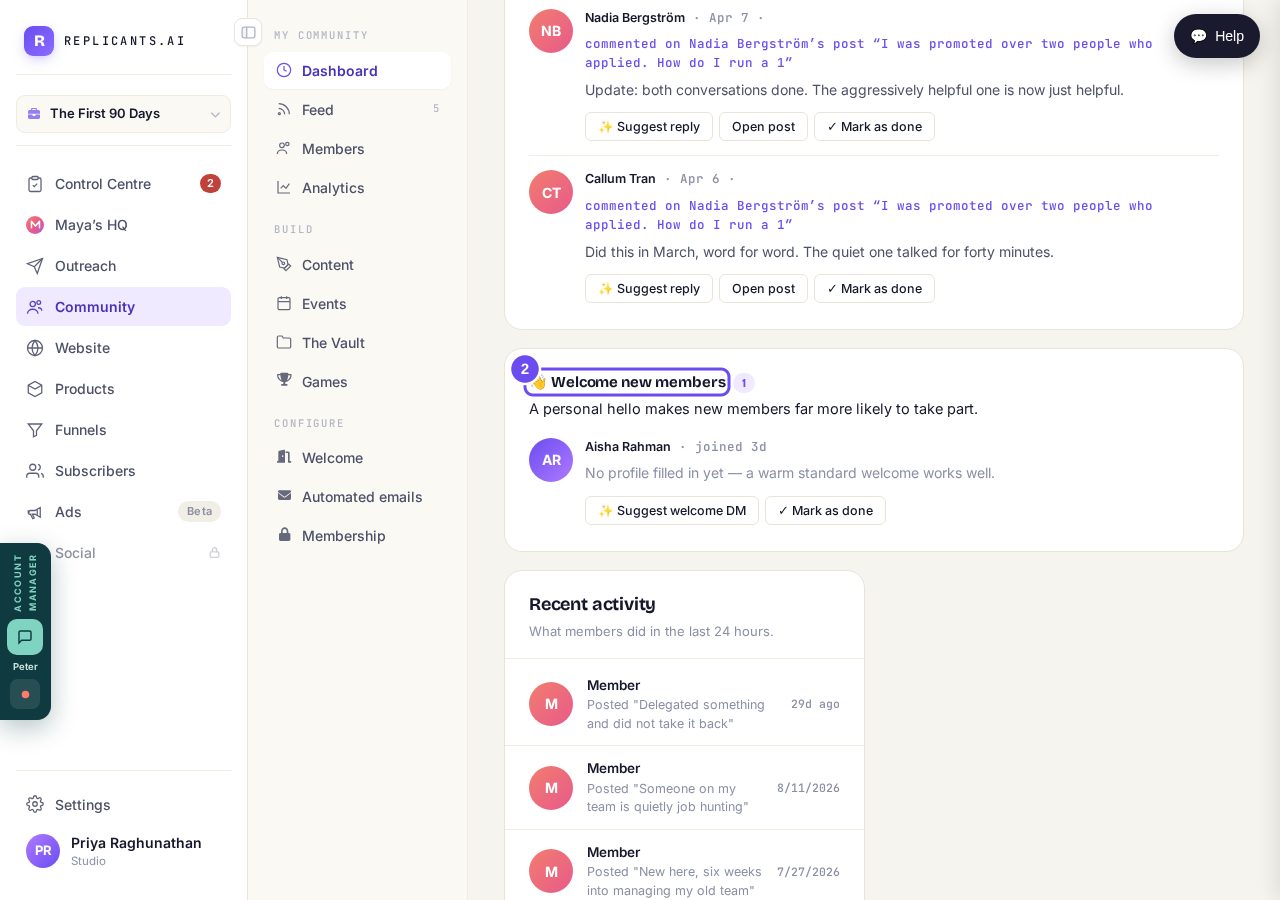
A second list, for people who have just joined.
Take me therePress Suggest reply on any row
It reads what that member actually wrote and answers it in your voice, built from how you've described your community. On a new member it reads Suggest welcome DM.
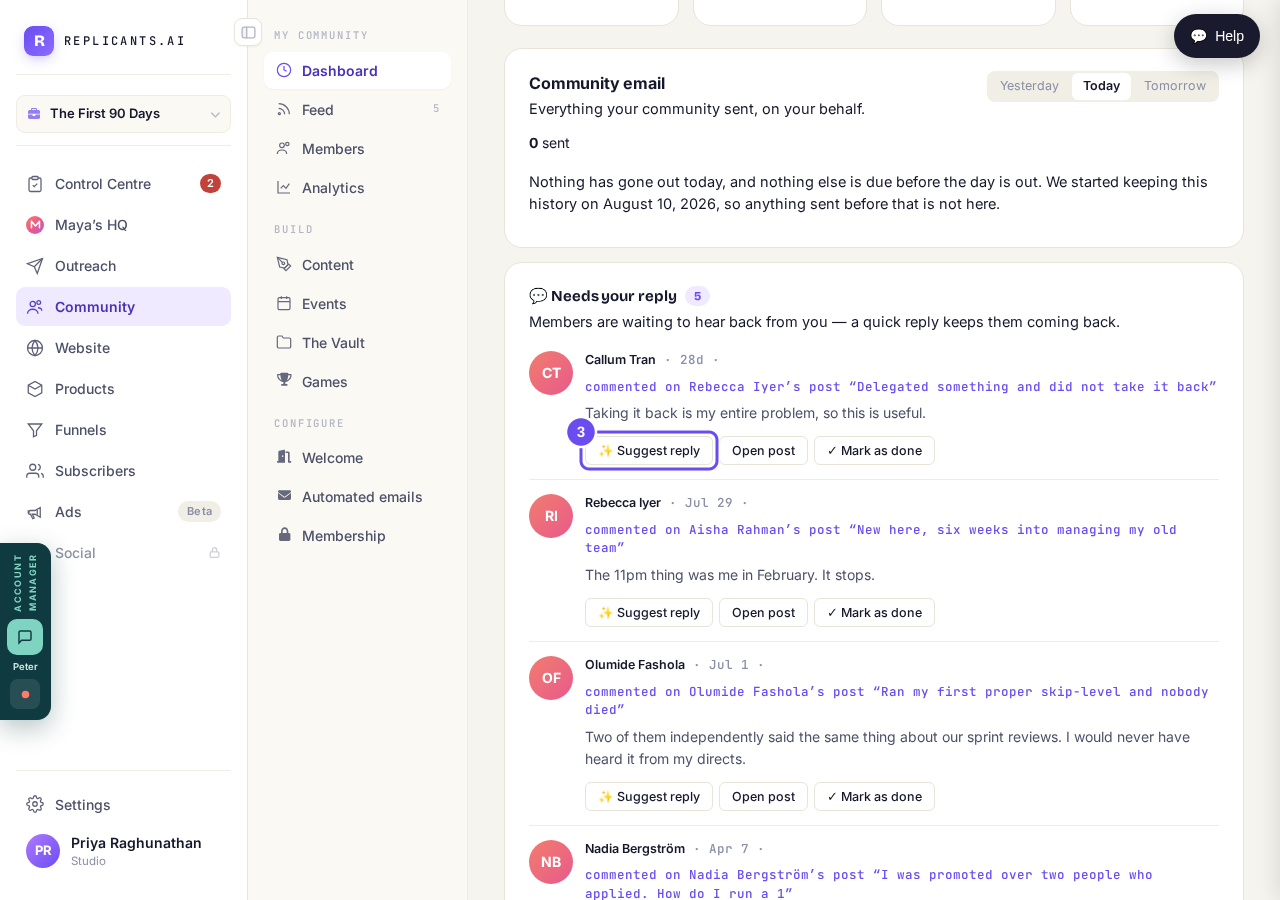
It replies to what they actually said, not to a template.
Take me thereRead it, change it, then approve
The draft lands in a box you can type in. A second box takes feedback — warmer, shorter, mention Thursday's call — then Regenerate with this feedback. Approve and post reply sends it.
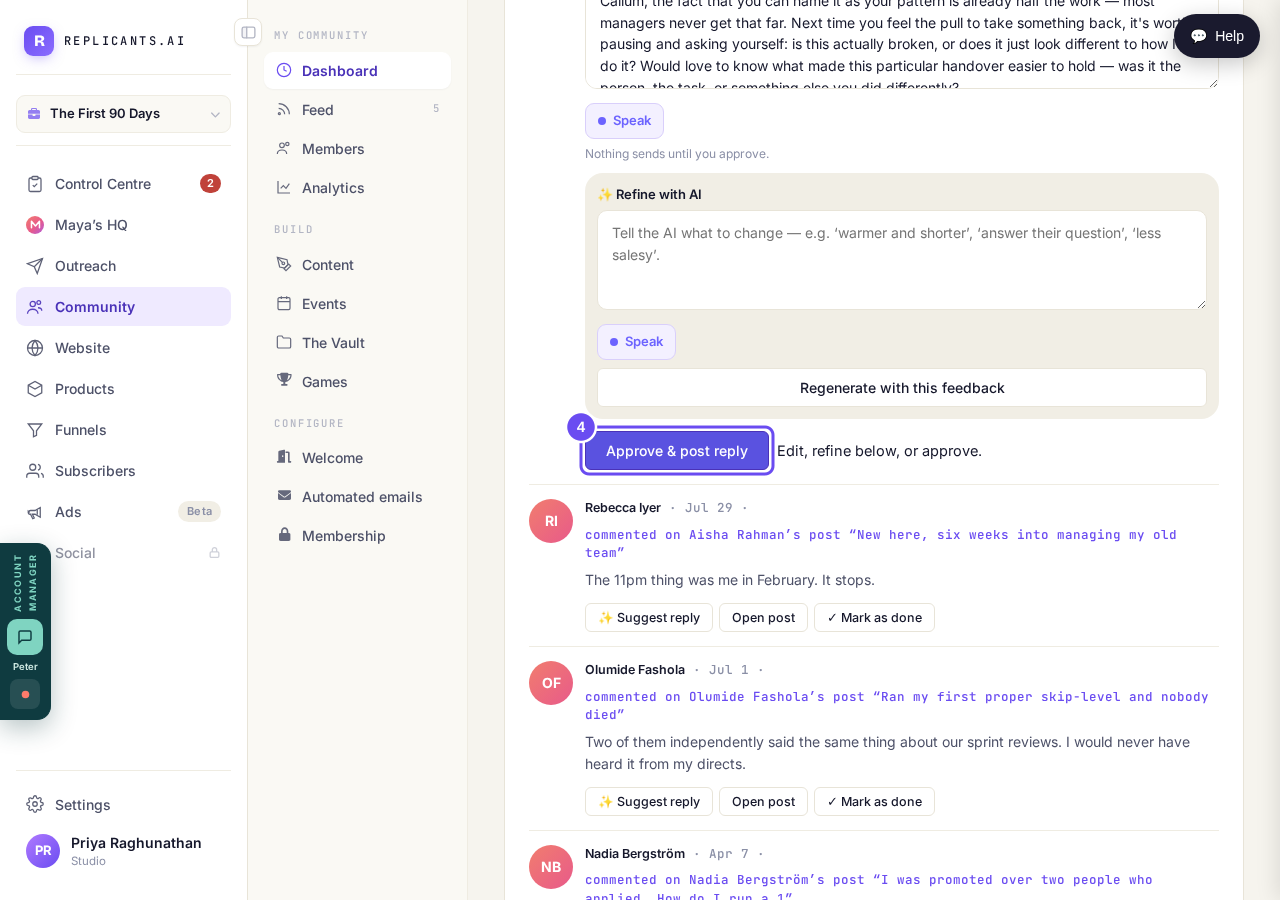
The screen's own words: nothing sends until you approve.
Take me thereClear the rest with Mark as done
Use it when a row needs no reply — a thank you, a conversation already going, something you answered on your phone. It writes nothing and tells nobody.
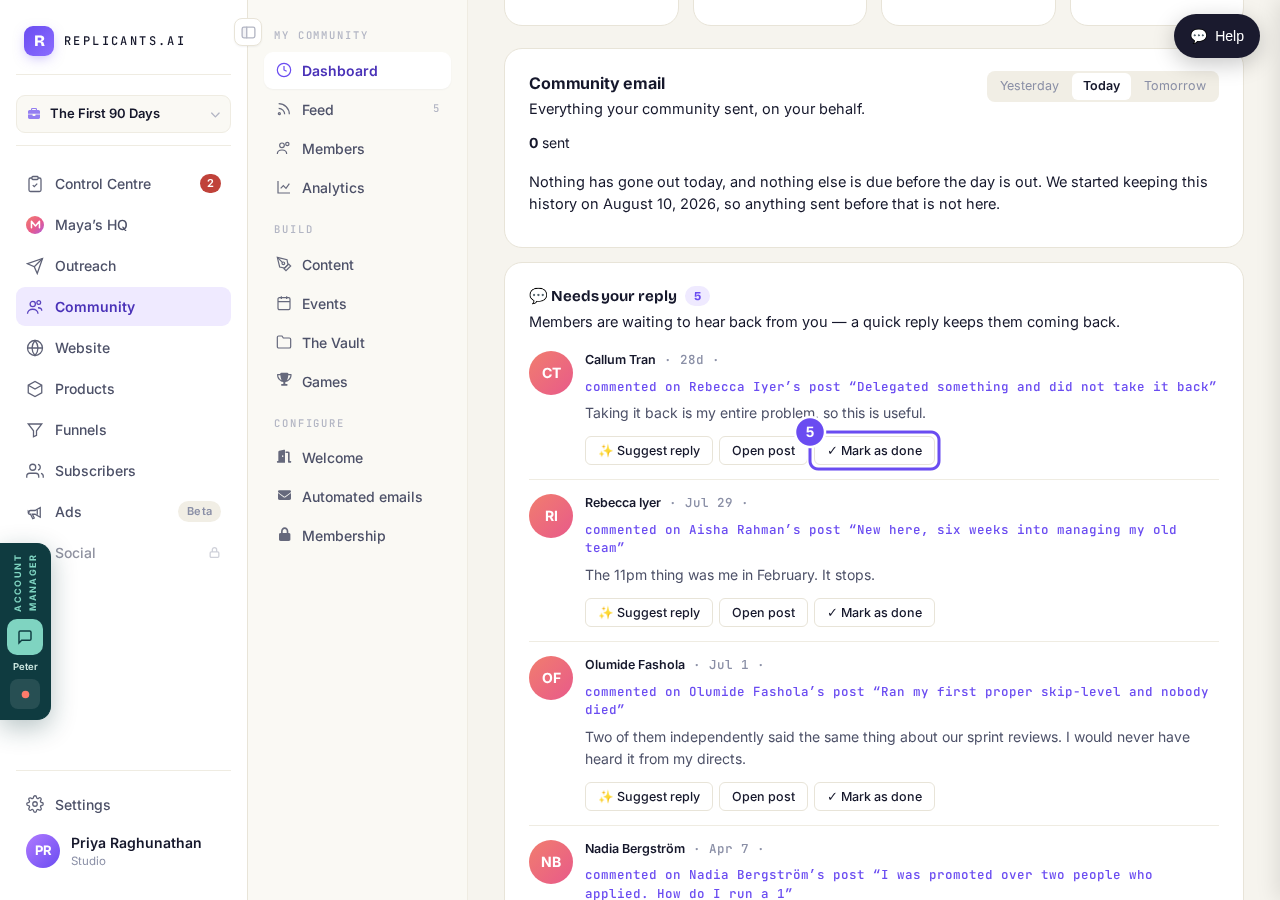
Clears the row. Writes nothing, tells nobody.
Take me there
How do I reply using a drafted message?
Related articles
Can I approve new members before they get into my community?
Yes. Switch on approval and anyone who asks to join waits in a Requests list in Members until you let them in, the way a private LinkedIn or Facebook group works. People you invite, and people who pay, still go straight in. About five minutes to set up.
Can I change a member's post before I approve it?
No. A post waiting for your approval can only be approved or rejected, so you cannot change a member's words. If a few words need changing, approve it and add a comment, or message the member and reject it.
Can I check comments before they go up?
Turn on comment approval and every member comment waits for you. It's a separate switch from the one for posts.