
How do I share a community post to my social accounts?
Any post you wrote and published in your community can go out to your social accounts too. Maya rewrites it to suit each one, and you send them all with one press. Your accounts need to be connected first, under Social.
Updated 1 October 2026
Open Feed and press Share to socials on your post
Open Community, then Feed. Share to socials sits beside Pin on every post you wrote once it is published.
A draft or a hidden post does not have it yet.
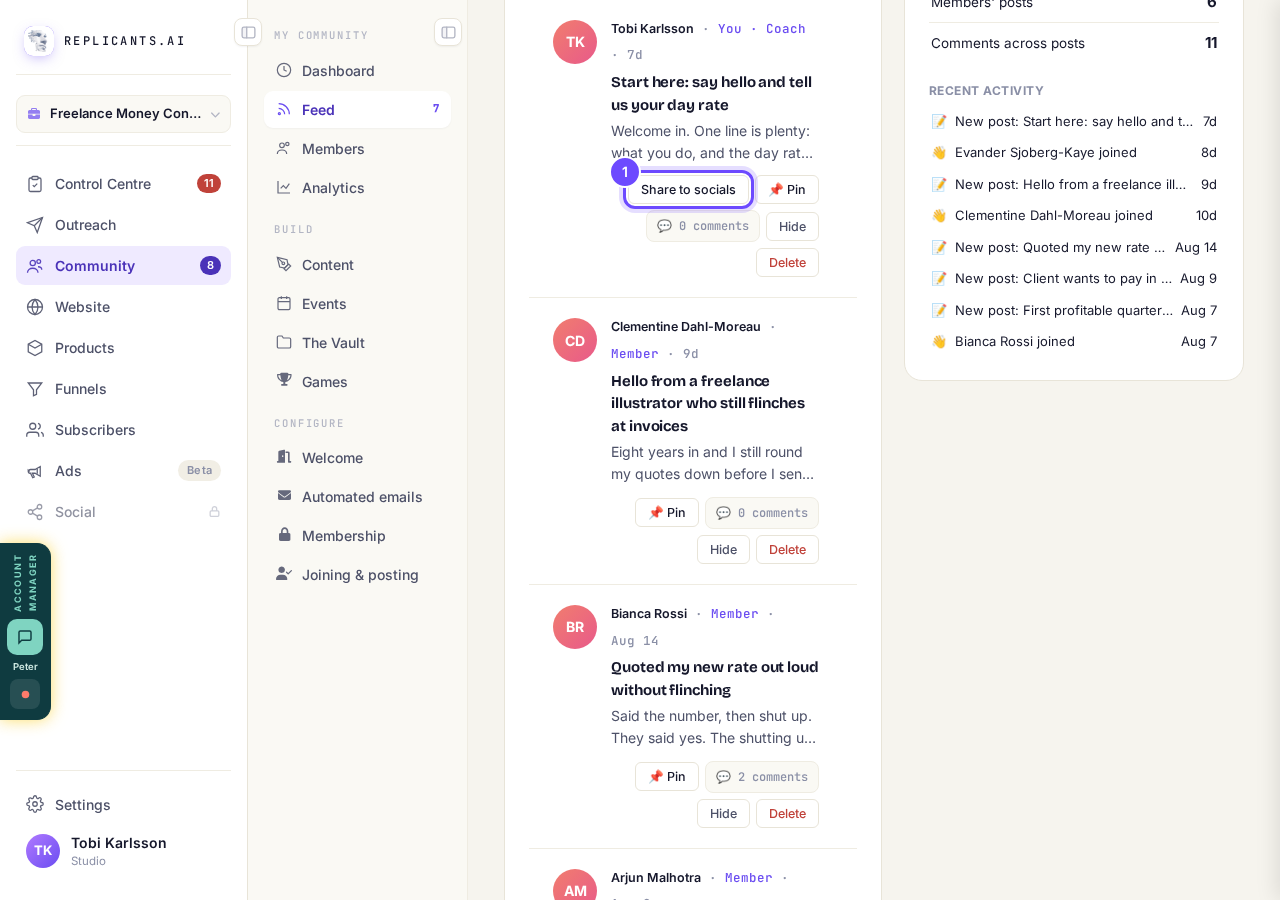
Share to socials is on the posts you wrote.
Take me thereRead what Share this post tells you
If no social account is connected yet, it says so: There are no social accounts this profile can post through.
That means one thing is left to do, which is the next step.
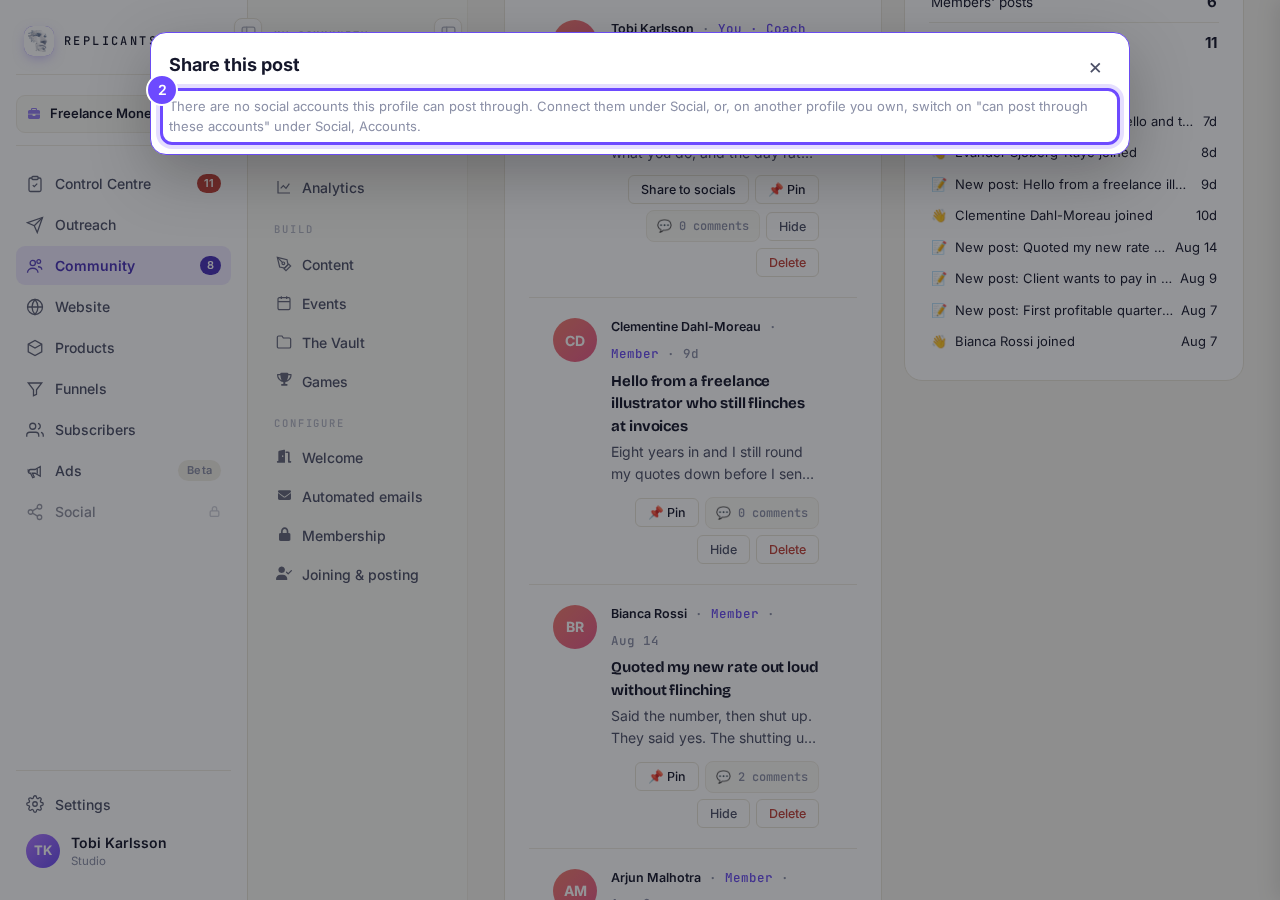
With no accounts connected, the panel says so.
Connect your accounts under Social, then Accounts
Social is in the main menu on the left. Open it and choose Accounts to connect Facebook, Instagram, LinkedIn, X or YouTube.
If Social shows a small padlock, or the word Upgrade on a phone, it comes with the Pro plan. Pressing it shows you what Pro adds.
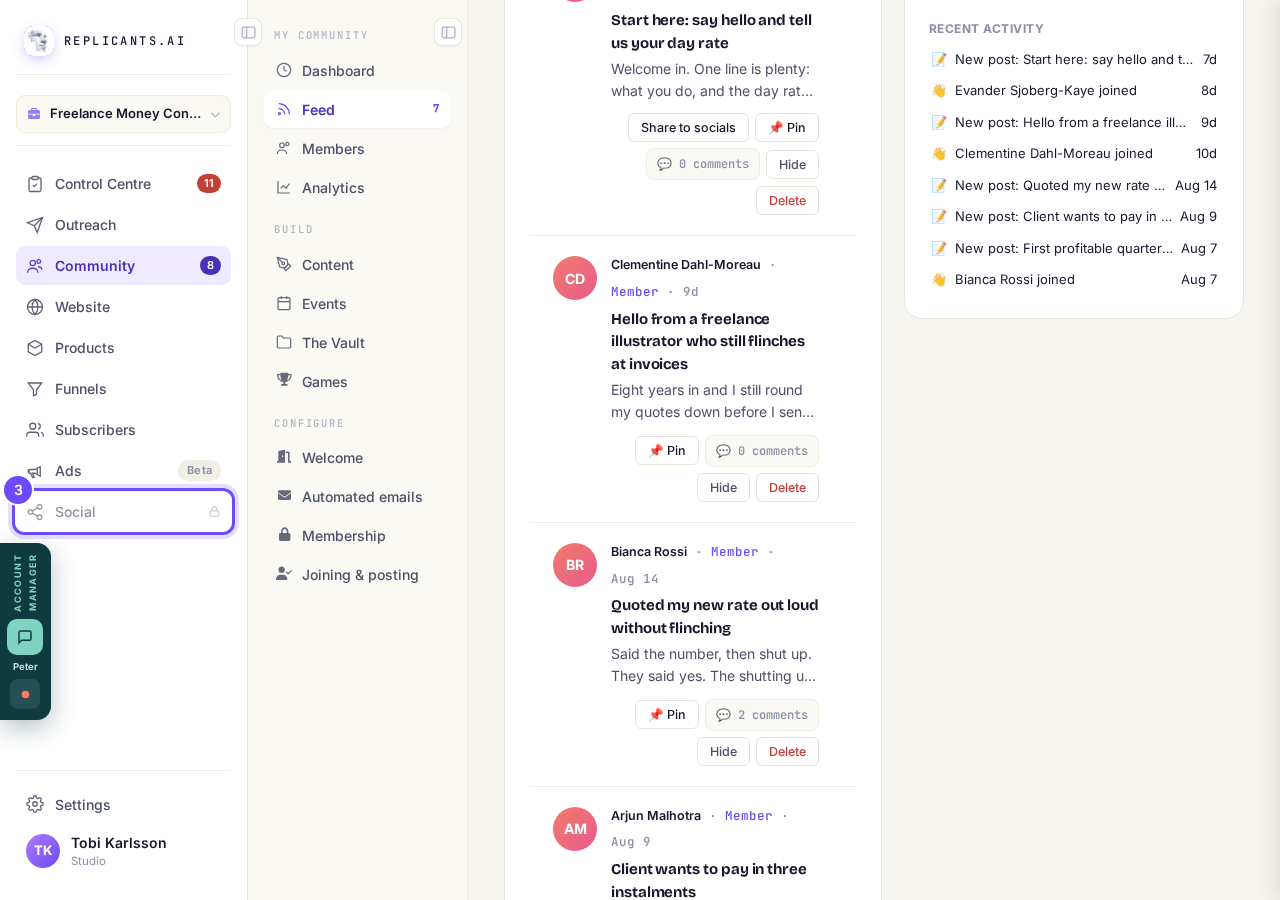
Social is in the main menu, under Ads.
Read each version Maya wrote, pick a time, then press Schedule all
Back on your post, press Share to socials again. There is a button for each network, and Maya writes a version for each one that is switched on, with a preview beside it.
Open each version once. Schedule all stays grey until you have, so nothing goes out that you have not read. Then choose Tomorrow, 9:00 am your time, Now, or Pick a time.
X starts switched off, because X charges for every post.
Schedule all wakes up once you have read every version.


Can I write a post now and have it go out later?
Related articles
Can I approve new members before they get into my community?
Yes. Switch on approval and anyone who asks to join waits in a Requests list in Members until you let them in, the way a private LinkedIn or Facebook group works. People you invite, and people who pay, still go straight in. About five minutes to set up.
Can I change a member's post before I approve it?
No. A post waiting for your approval can only be approved or rejected, so you cannot change a member's words. If a few words need changing, approve it and add a comment, or message the member and reject it.
Can I check comments before they go up?
Turn on comment approval and every member comment waits for you. It's a separate switch from the one for posts.