
Can I write a post now and have it go out later?
Yes. You schedule a post in the same place you write it, and it goes out on the day and time you pick. The screen reads the date back to you, so you can be sure it is the right one. About two minutes.
Updated 1 October 2026
Write your post, then choose Schedule for later
Open Community, then Feed, press + New post and write it as usual.
Under When, at the bottom, there are two choices: Publish now and Schedule for later. Choose Schedule for later.
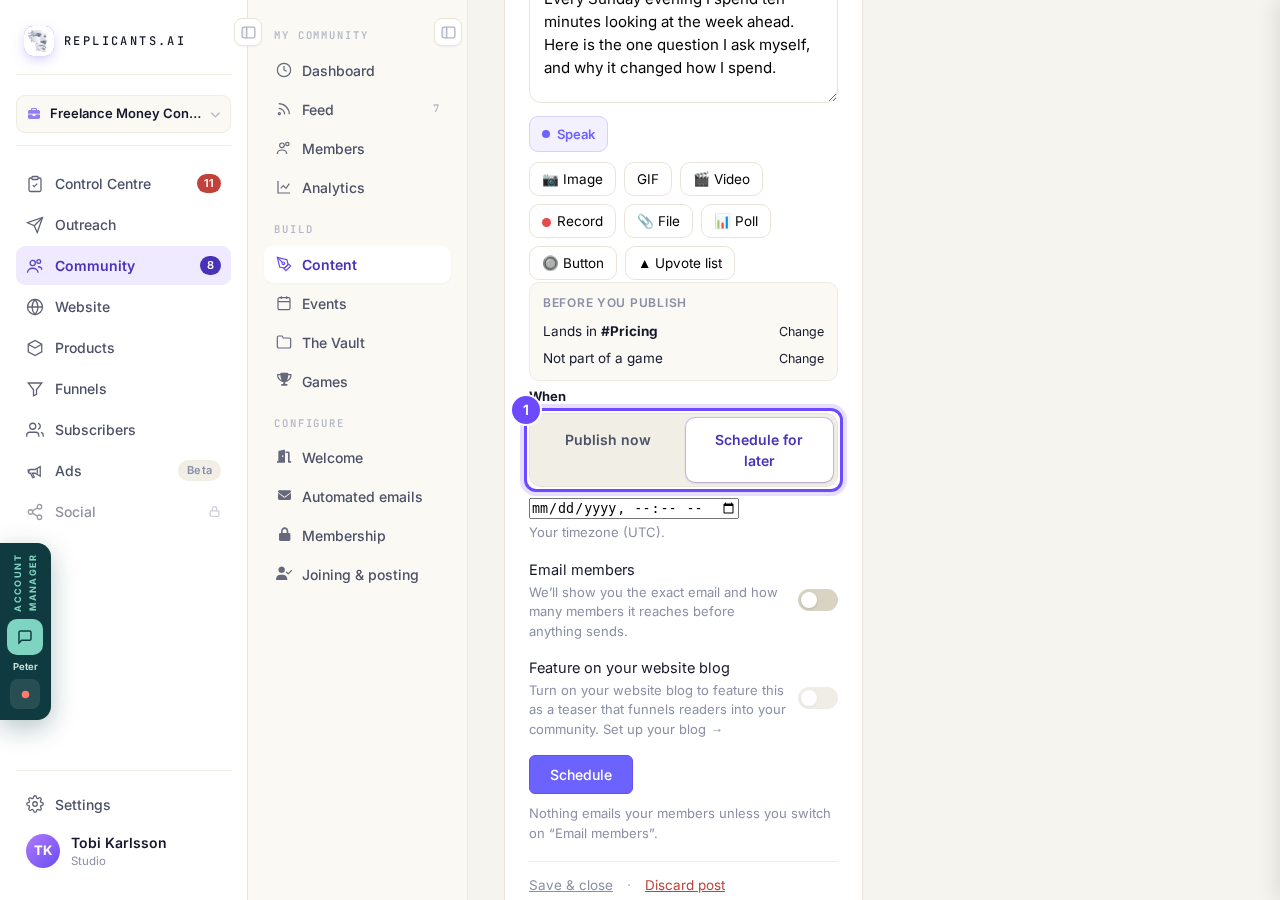
Under When, at the bottom of the post.
Take me therePick the date and the time in the one box
Check the year as well as the day and month. A slip in the year is easy to miss.
The line underneath names the timezone it is using, which is the one your computer is set to.
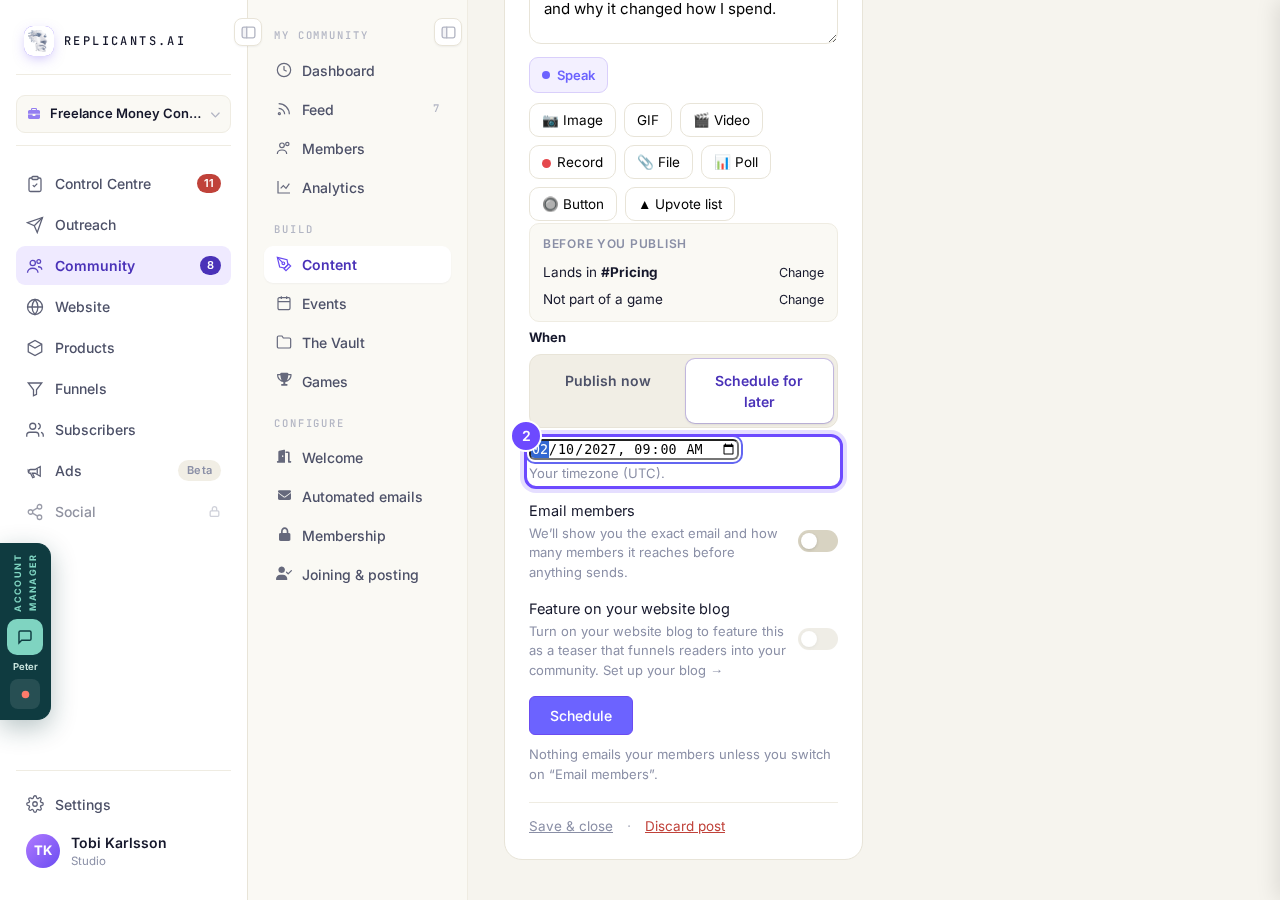
Day, month, year and time, with your timezone underneath.
Press Schedule, and answer if it asks about the date
If the date is more than two months away, it asks Is that the right date? and writes the date out in words.
Press Yes, schedule it if that is what you meant. Press Change the date to go back to the box with nothing saved.
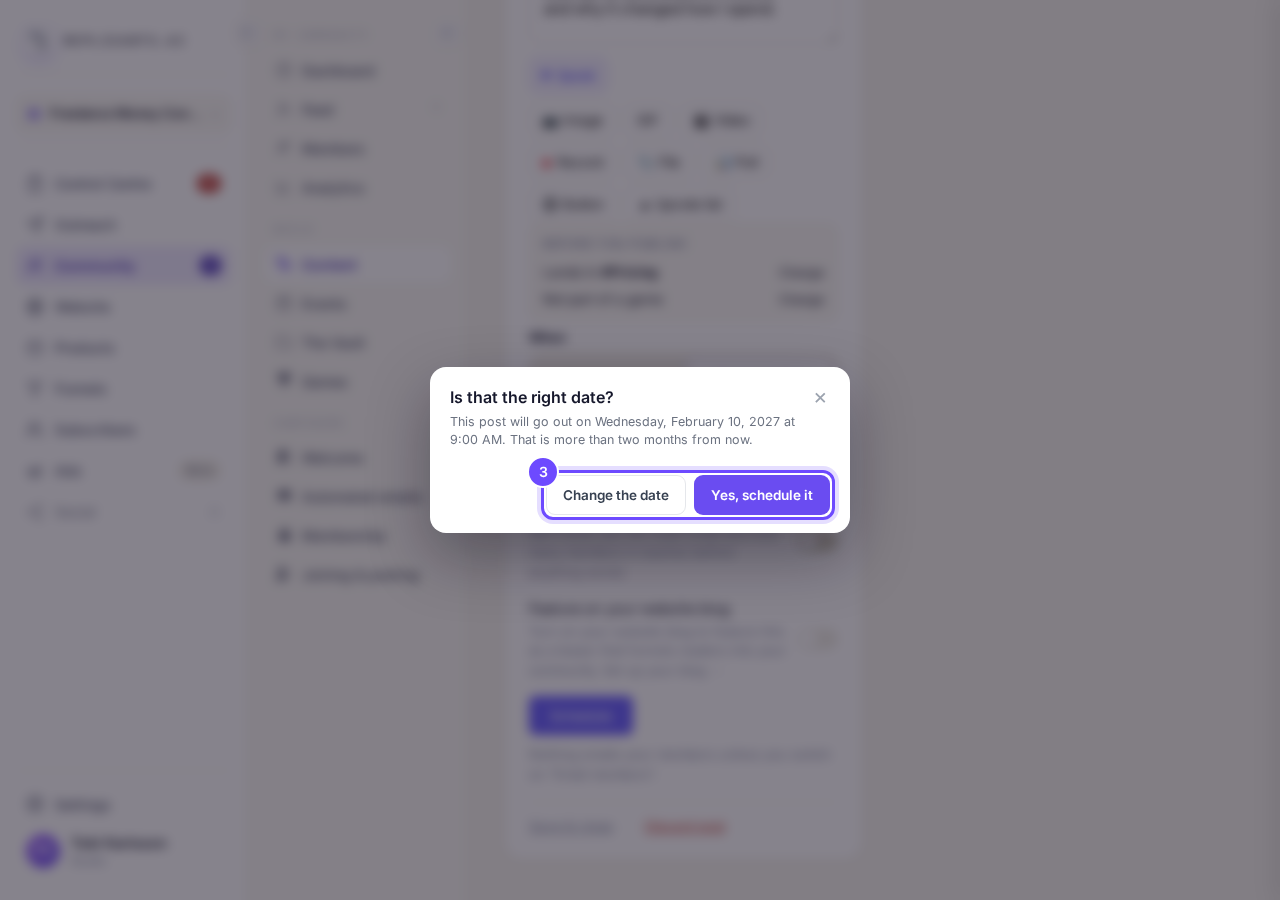
Yes, schedule it, or Change the date.
Read the date in the message that appears
It names the day, the date, the year and the time, for example Scheduled for Wednesday, October 14, 2026 at 9:00 AM.
If any of it is wrong, change it as the next step shows.
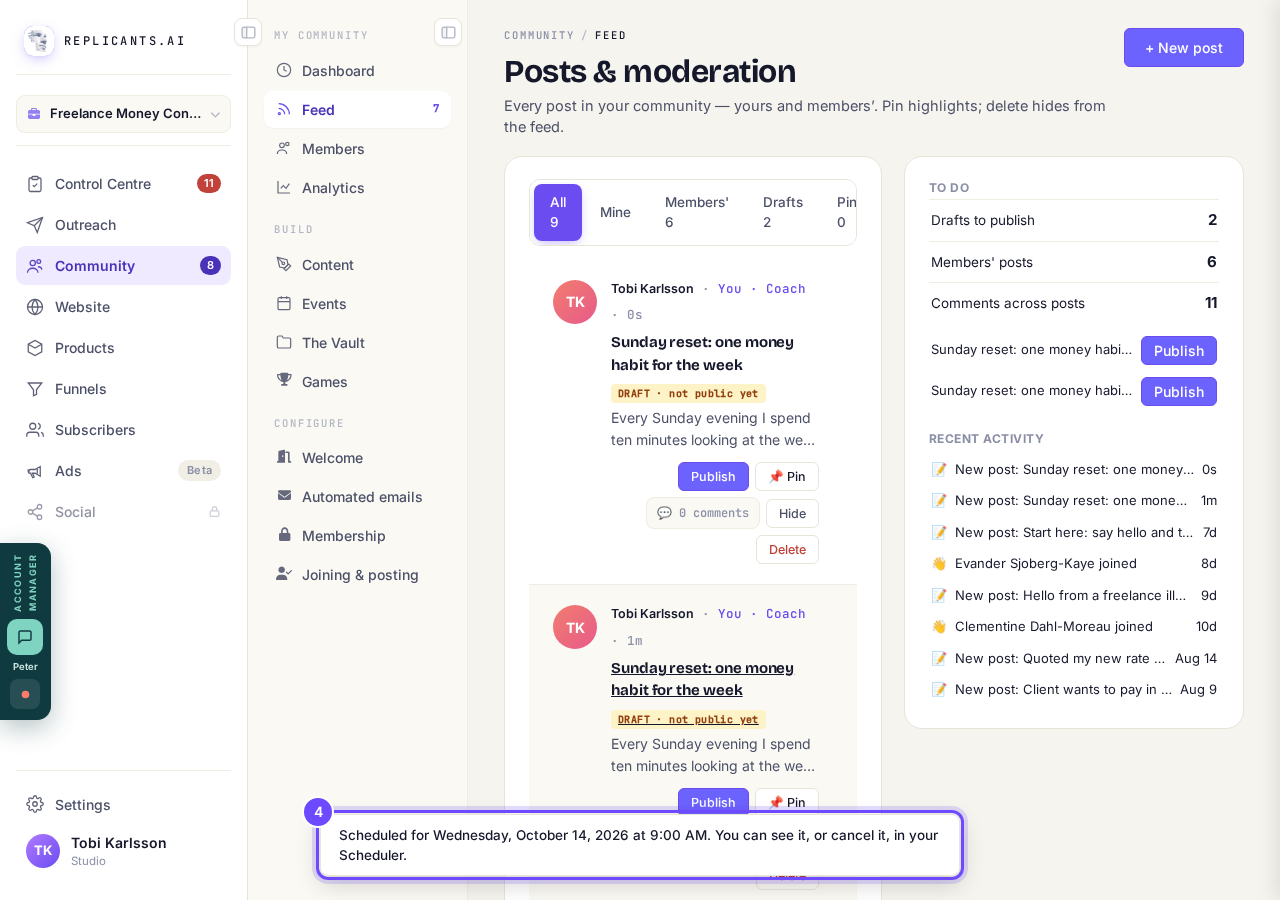
The message names the date and time, with the year.
To change the time or cancel, open Sending soon on your Control Centre
The message calls this your Scheduler. Open Control Centre, then Sending soon, and tap the post.
Press Reschedule to pick a new time, then Save the new time. The box shows the full date with the year. Press Cancel if it should not go out at all.
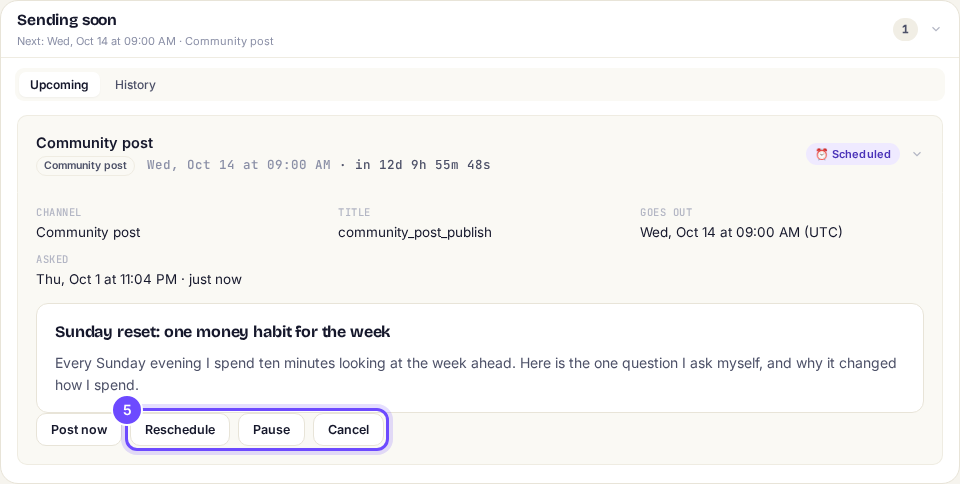
Reschedule picks a new time. Cancel stops it.


How do I make sure new members see the right post first?
Related articles
Can I approve new members before they get into my community?
Yes. Switch on approval and anyone who asks to join waits in a Requests list in Members until you let them in, the way a private LinkedIn or Facebook group works. People you invite, and people who pay, still go straight in. About five minutes to set up.
Can I change a member's post before I approve it?
No. A post waiting for your approval can only be approved or rejected, so you cannot change a member's words. If a few words need changing, approve it and add a comment, or message the member and reject it.
Can I check comments before they go up?
Turn on comment approval and every member comment waits for you. It's a separate switch from the one for posts.