
How do I see what Maya is doing for me?
Outreach runs on its own every day. The first of the four Outreach screens is where you check what it did.
Updated 29 September 2026
Start with the mission line
The band across the top is your own words, as a sentence about who's being looked for. If it doesn't sound like your people, fix that first. Everything below follows from it.
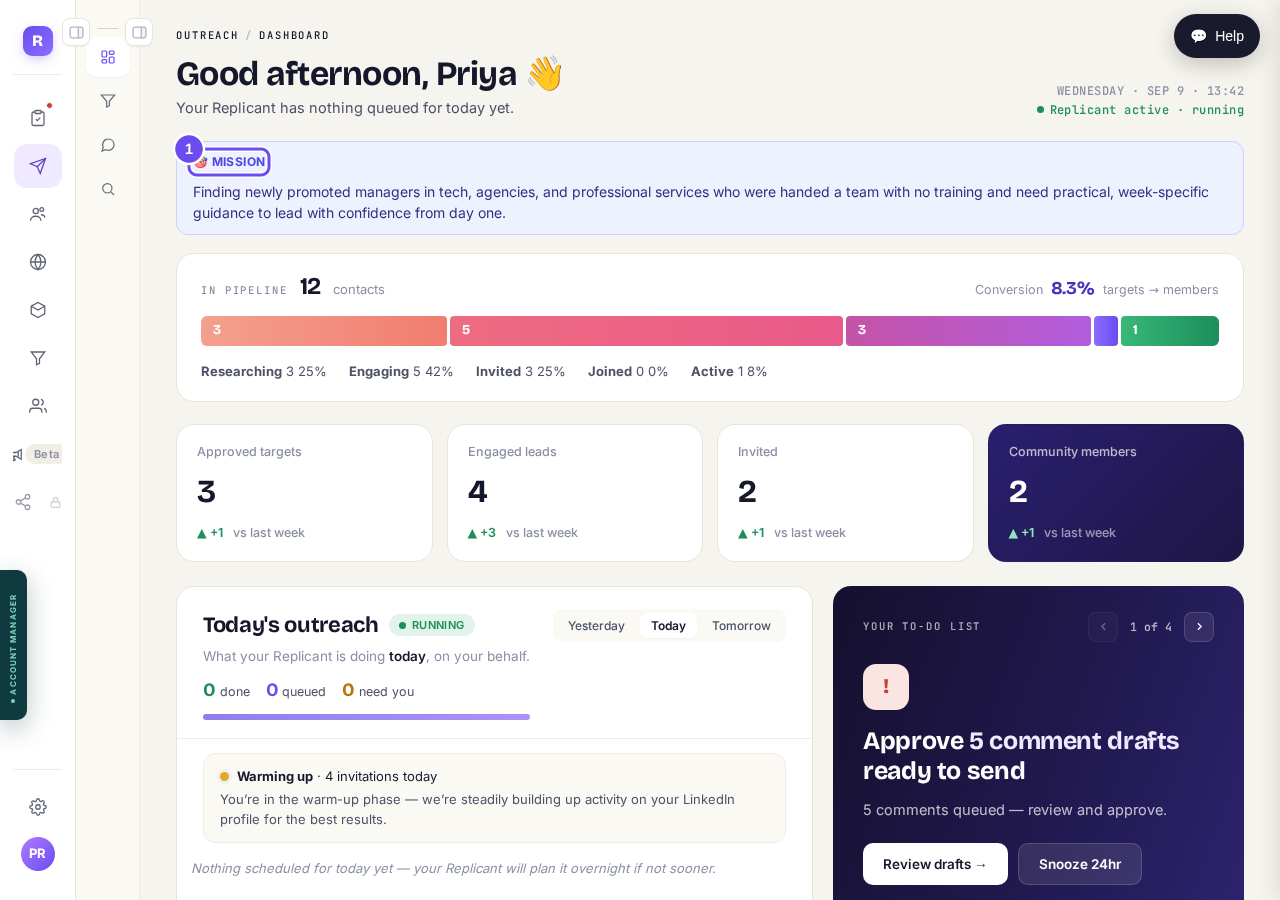
Your community description, read back to you as who we are looking for.
Take me thereRead the coloured bar left to right
Everyone found sits in one of five stages. Researching, we're reading their posts. Engaging, commenting on them. Invited, asked to join. Joined, accepted. Active, taking part. They move over weeks, not hours.
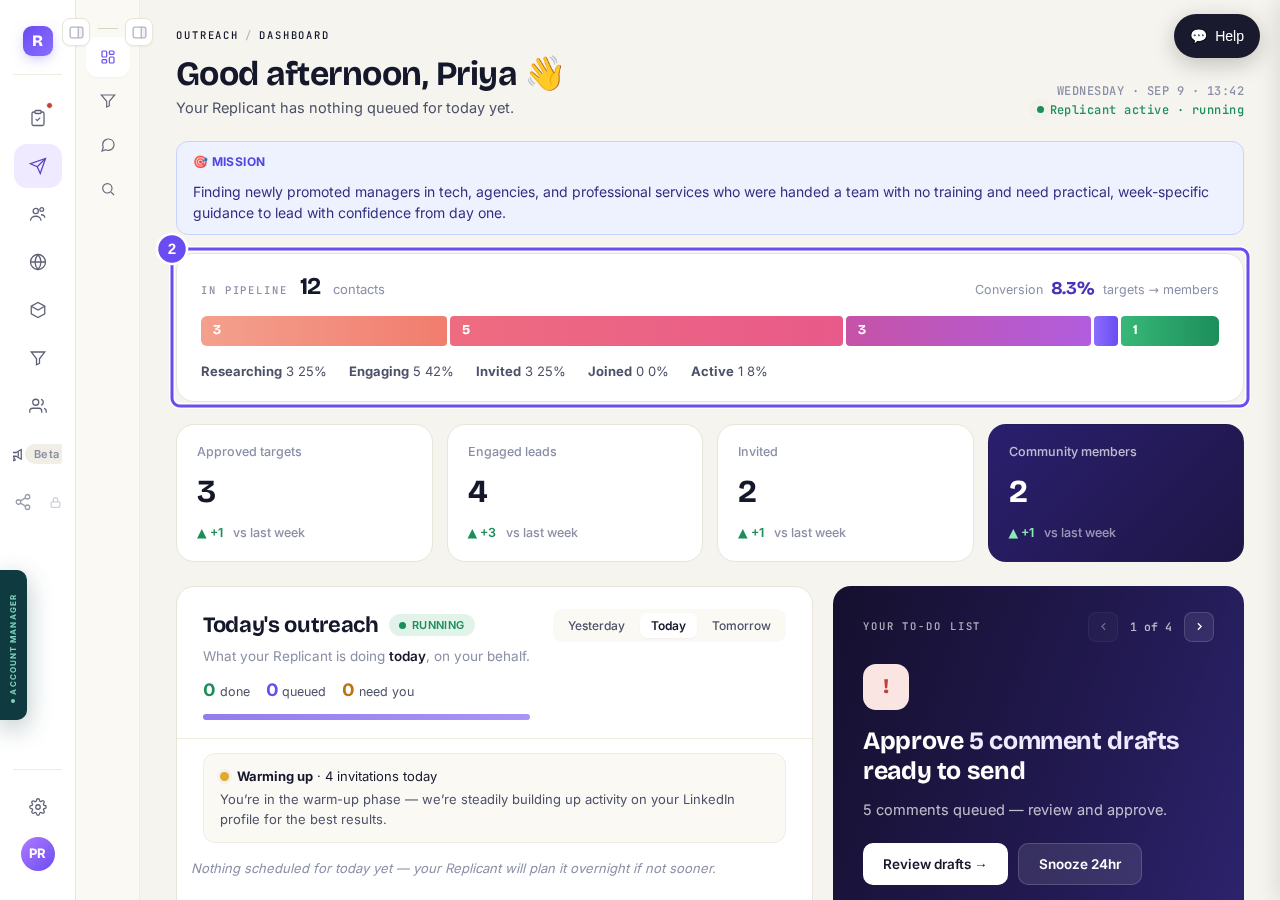
One person, one stage. They move left to right over weeks.
Take me thereCheck the four boxes for this week
The bar above counts everyone you've ever reached. These four count the last seven days against the seven before, so a number here can be smaller. Use the bar for the total, these for this week.
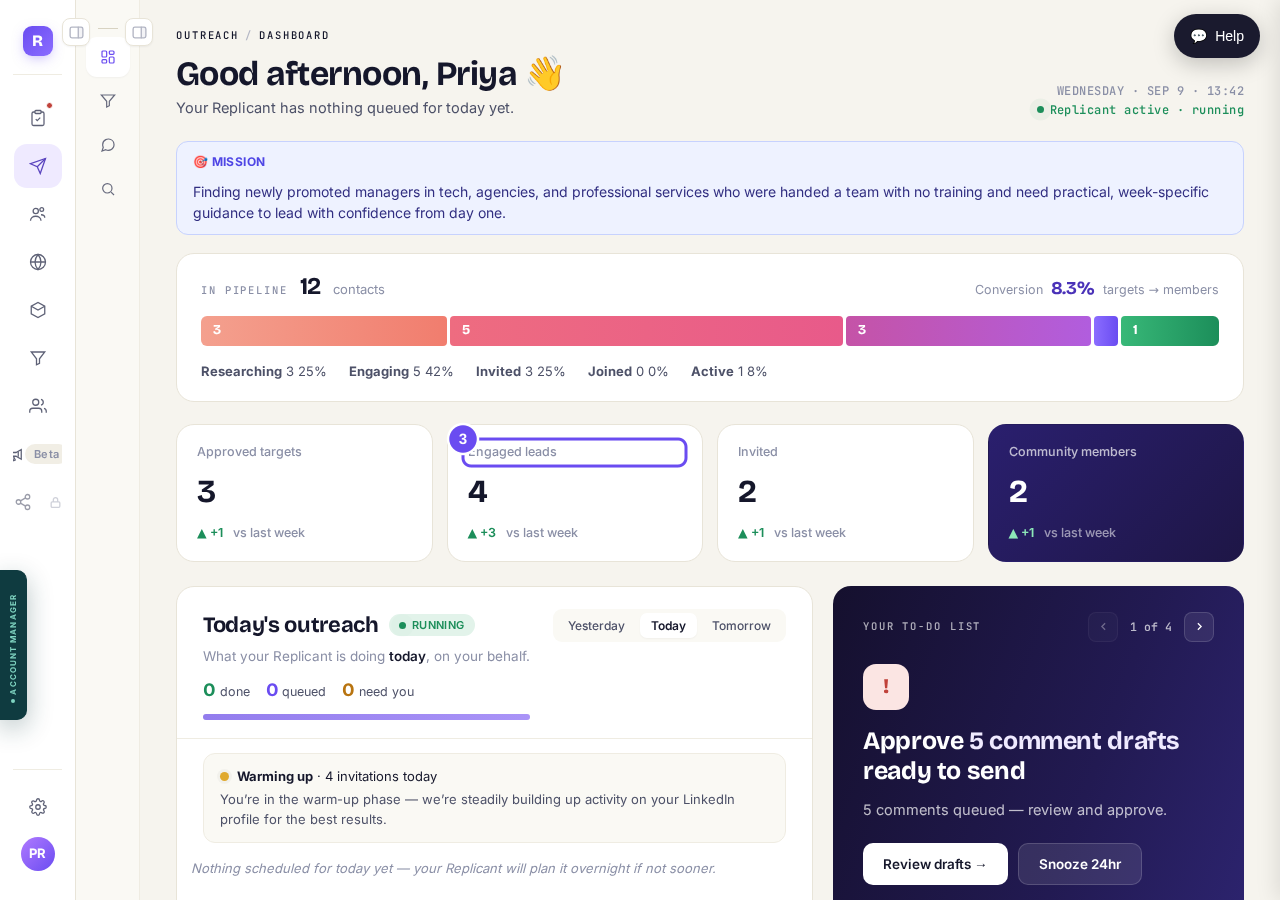
Seven days, against the seven before. Different question from the bar above.
See what is planned for today
Today's outreach lists what's planned, what's done, and what's waiting for you. Early on it says you're warming up and shows small numbers, so your account isn't doing anything sudden.
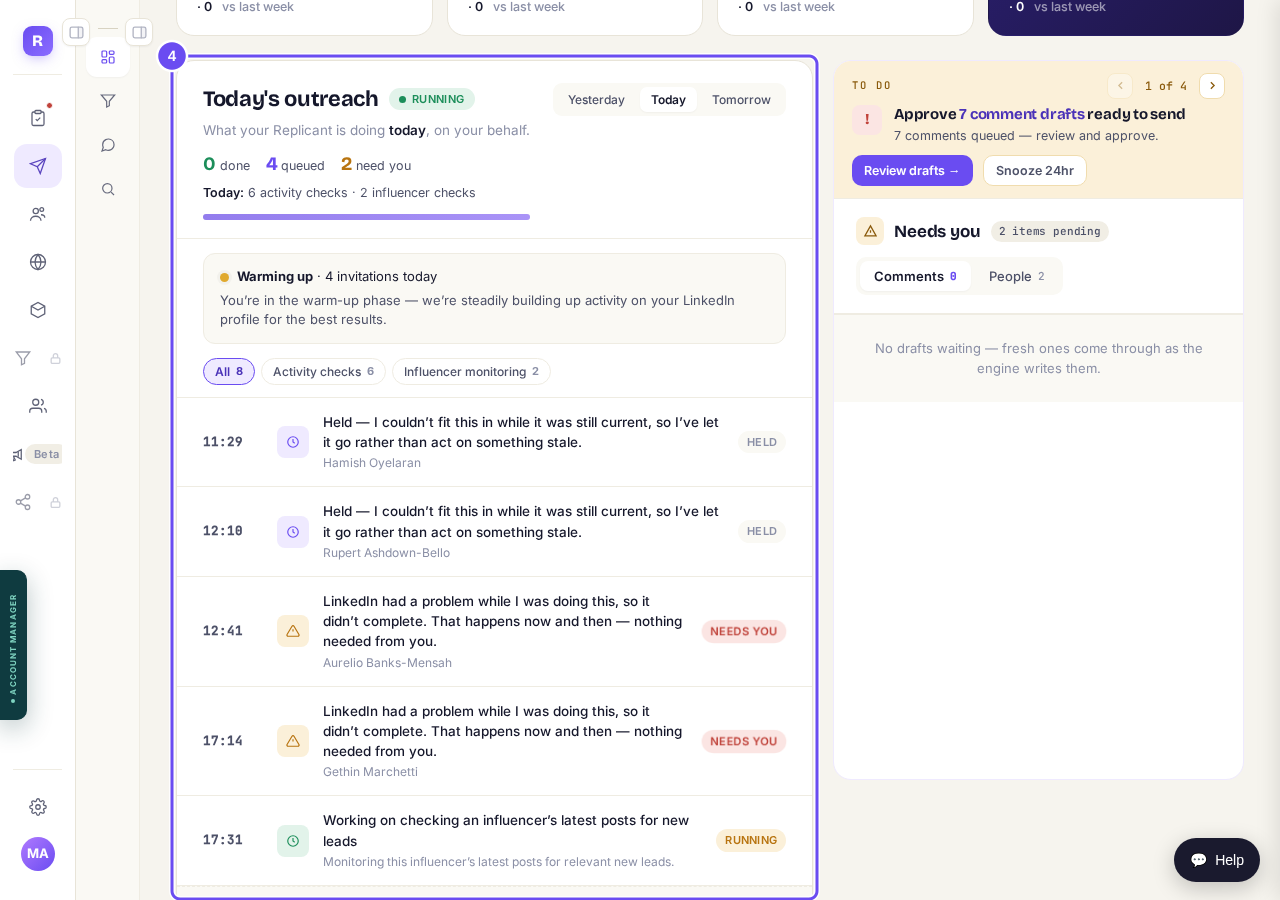
What is planned for today, and what has already gone out.
Read Needs you
Needs you, beside Today's outreach, is the only part that asks you for anything: the things nothing can proceed without, most often comment drafts waiting for your yes. Its TO DO strip shows one at a time; the arrows move through the rest. Press the button on it to go and do it, or Snooze 24hr to put it off a day. On a phone Needs you comes first.
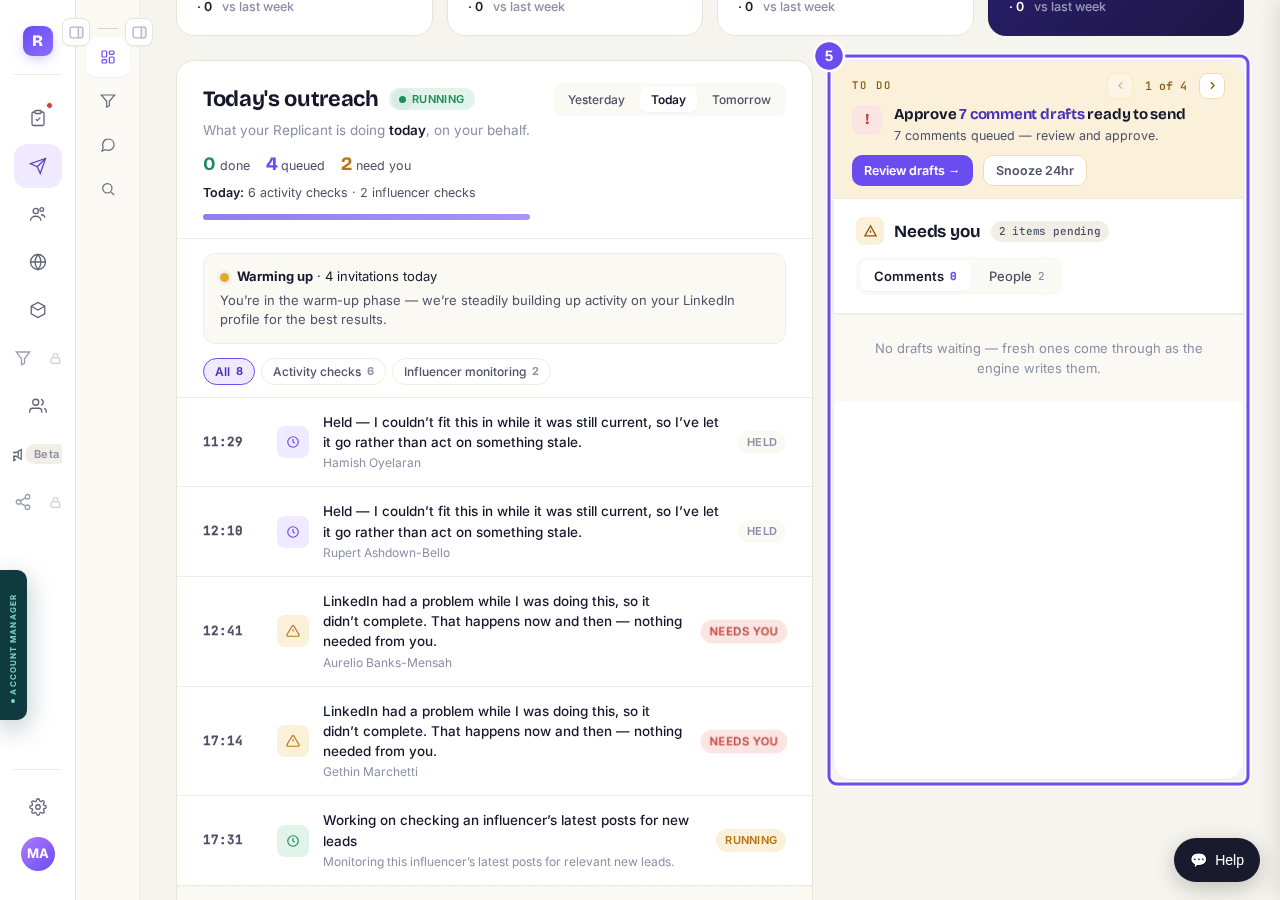
Needs you: the TO DO strip, then Comments and People.
Take me there


How do I check a comment before it goes out?
Related articles
Can I use Outreach on Instagram or X?
Not yet. Today Outreach works on LinkedIn only, through your own account. Instagram and X are coming soon, and nothing you set up now is wasted.
Do my new connections get a welcome email automatically?
Yes. If you use Outreach, every new connection gets a welcome email by itself, as soon as we have their email address. The LinkedIn welcome message is the one that waits for your go-ahead. One screen shows you both, in about two minutes.
How does Outreach turn strangers into community members?
Outreach finds people who have recently shown an interest in the problem you solve, gets your name in front of them on LinkedIn, and brings the ones who say yes into your community. Most of it runs by itself. Your part is a few minutes a day approving comments, and then making new members feel welcome.