
Where do I put a worksheet or handout my members can download?
Attach it to a post and it lands in the feed. The Vault, in your community menu, keeps files for members to download too.
Updated 1 October 2026
Open Content and take the fourth door
Three of the four ways in write the post with you. I'll write it myself gives the full editor. Its description mentions images and video, not files. Attach them inside anyway.
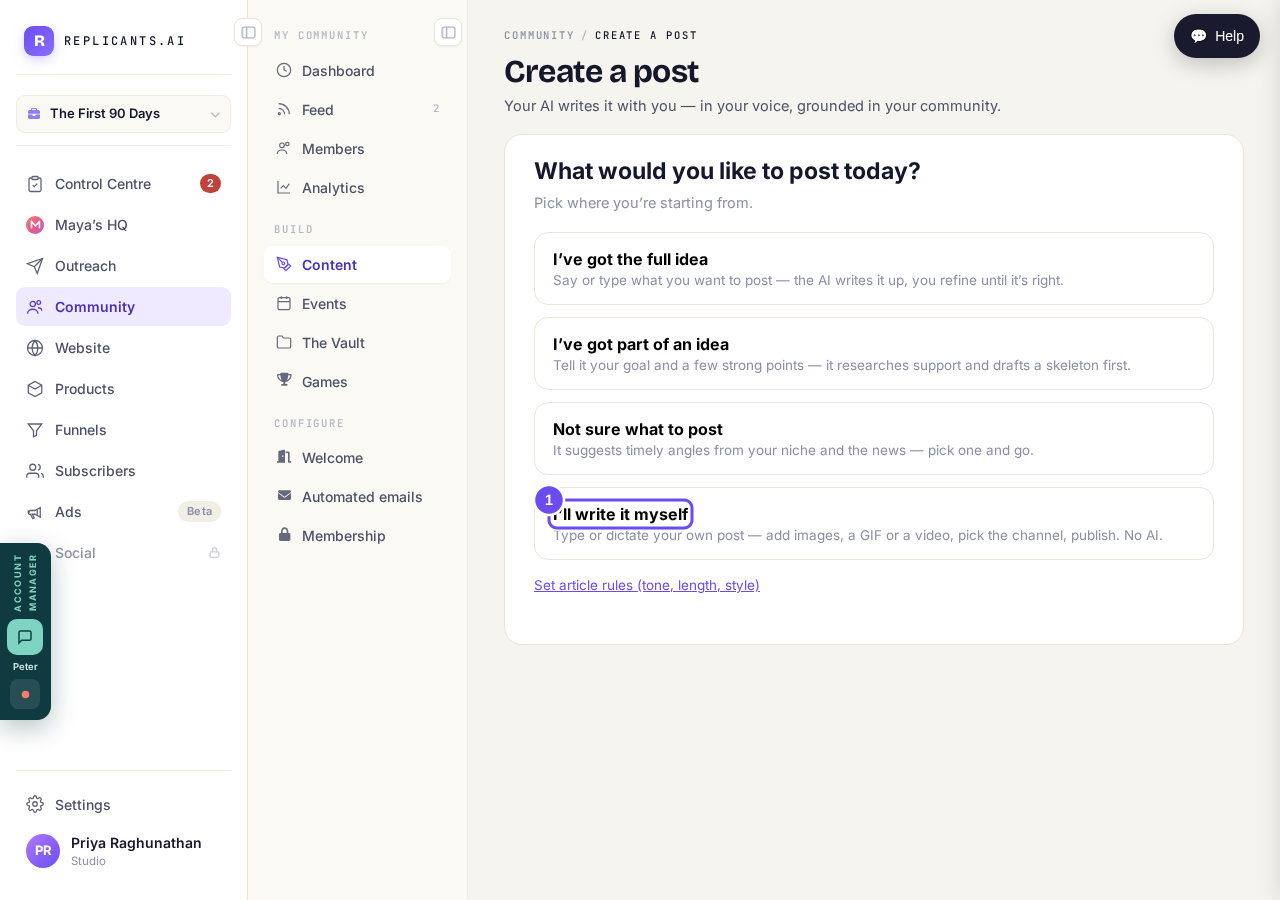
Three doors write it with you. This one gives you the editor.
Take me therePress the paperclip, between Record and Poll
It takes PDFs, Word, spreadsheets, PowerPoint, CSV, plain text and zip. Attach the worksheet in the format you wrote it in. The same row has a poll, a button and an upvote list.
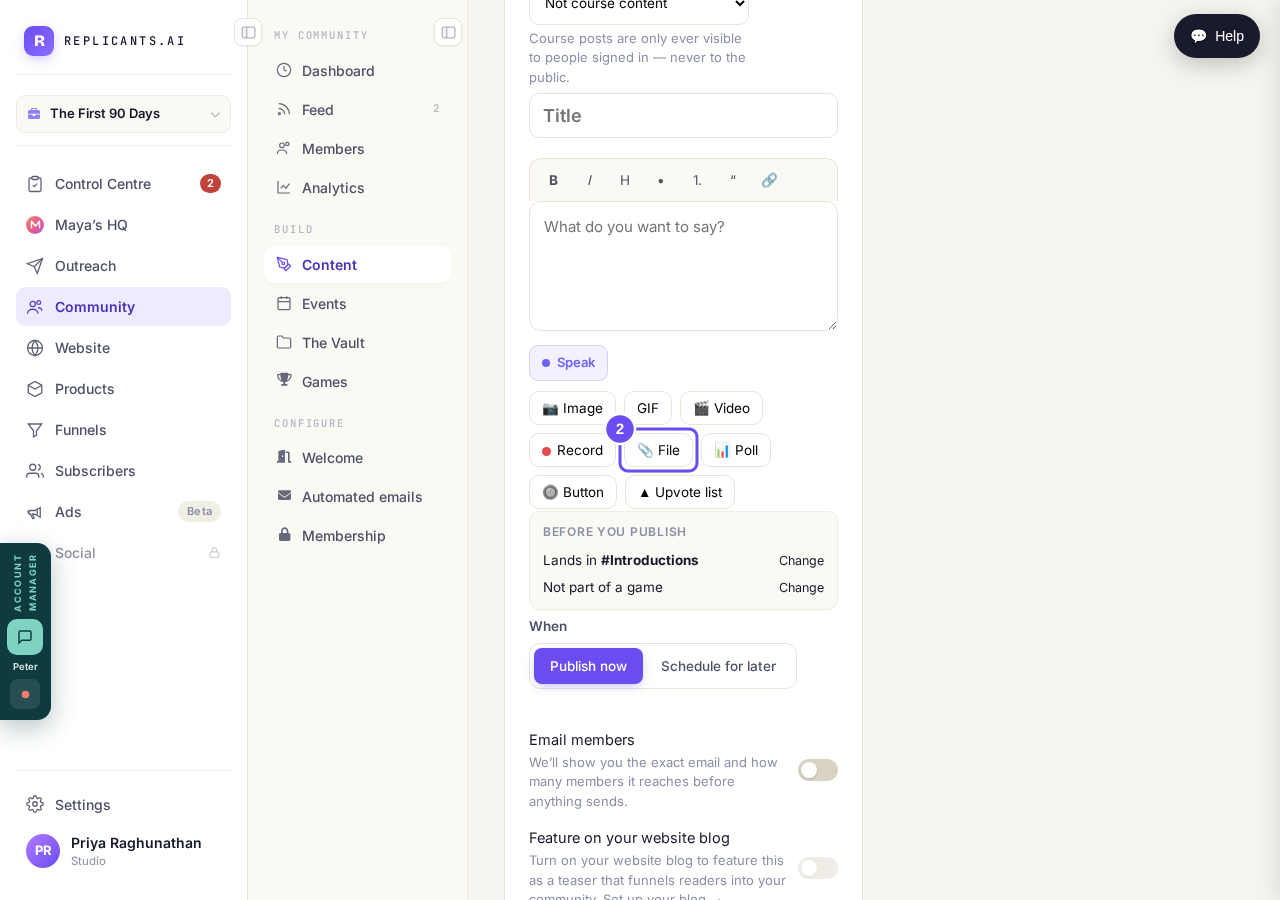
PDF, Word, Excel, PowerPoint, CSV, text or zip.
Check where it lands before publishing
Lands in names the channel, with Change beside it. When sets now or later. Email members is off until you switch it on, and shows you the email and the count first.
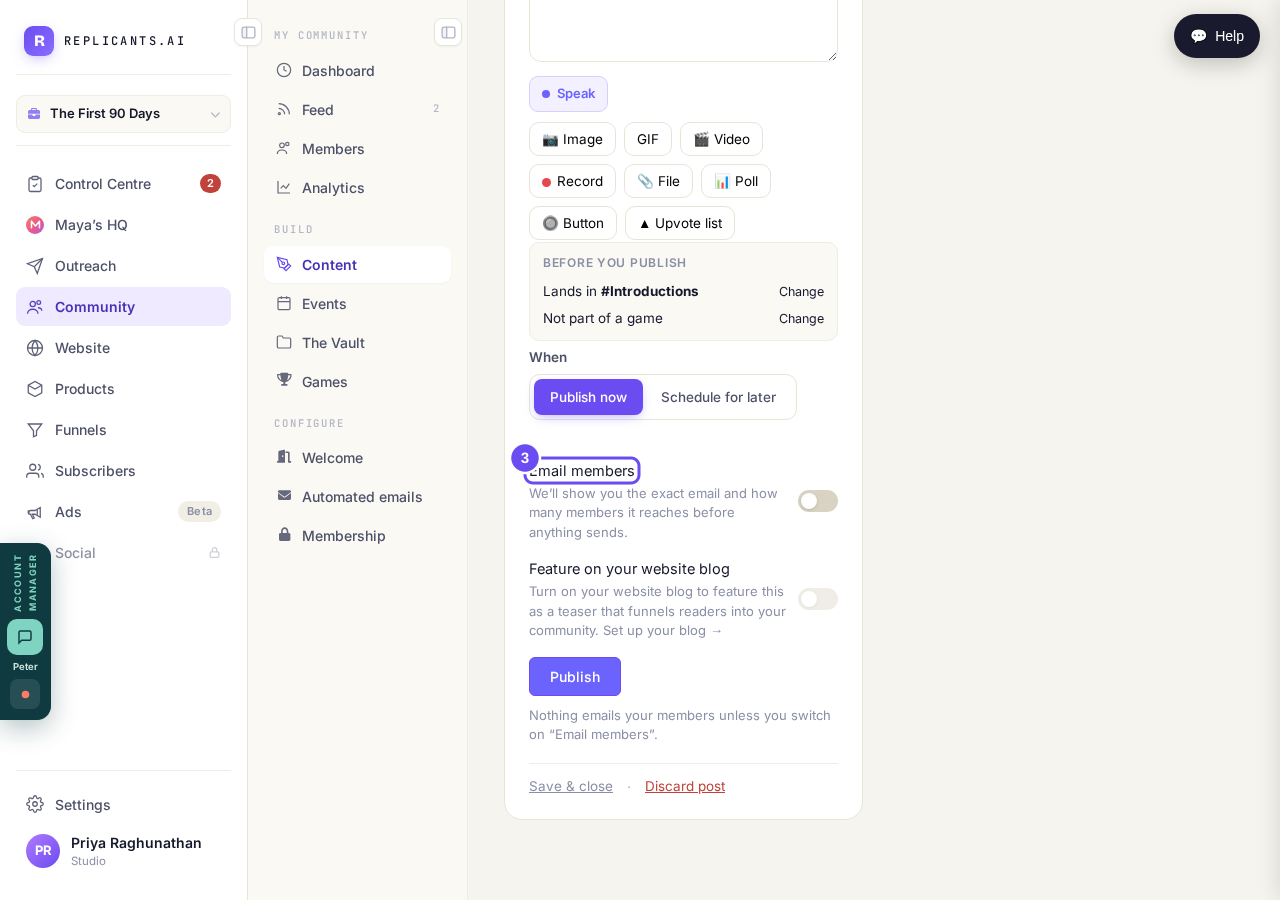
Email members is off until you switch it on.
Nothing sends until I press Send — how does that work?
Related articles
Can I approve new members before they get into my community?
Yes. Switch on approval and anyone who asks to join waits in a Requests list in Members until you let them in, the way a private LinkedIn or Facebook group works. People you invite, and people who pay, still go straight in. About five minutes to set up.
Can I change a member's post before I approve it?
No. A post waiting for your approval can only be approved or rejected, so you cannot change a member's words. If a few words need changing, approve it and add a comment, or message the member and reject it.
Can I check comments before they go up?
Turn on comment approval and every member comment waits for you. It's a separate switch from the one for posts.