
How do I set up a product with Claude?
Tell Claude what you sell and the price. It creates the product in your account, ready to put on a funnel.
Updated 29 September 2026
Take me there
Check Stripe is connected
Open Settings, then Payments. It should say your Stripe account is connected.
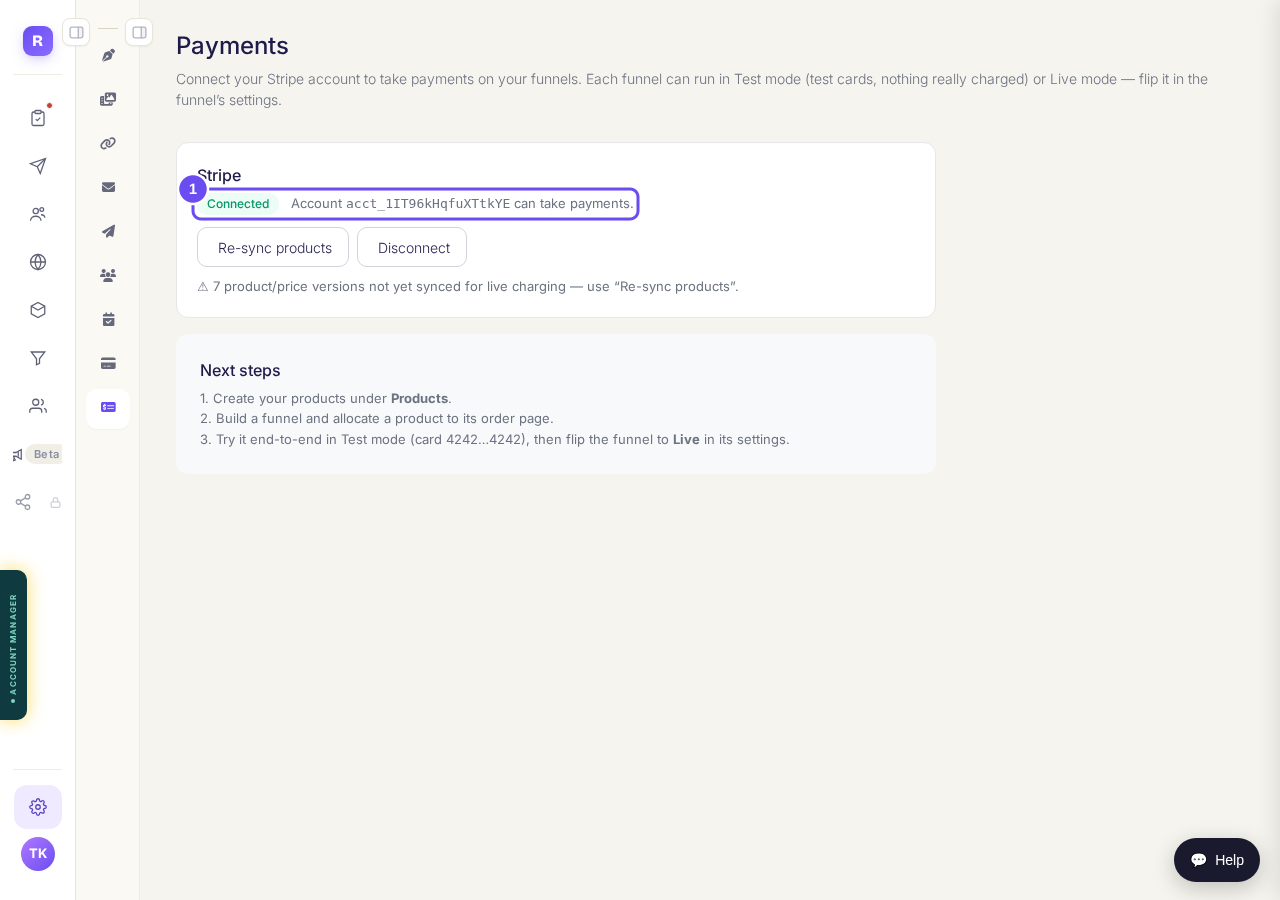
Payments, with Stripe connected.
Take me thereAsk Claude to create the product
Give the name, the price and how people pay: once, monthly, yearly or in instalments. Then open Products, then Prices & offers, to see it listed.
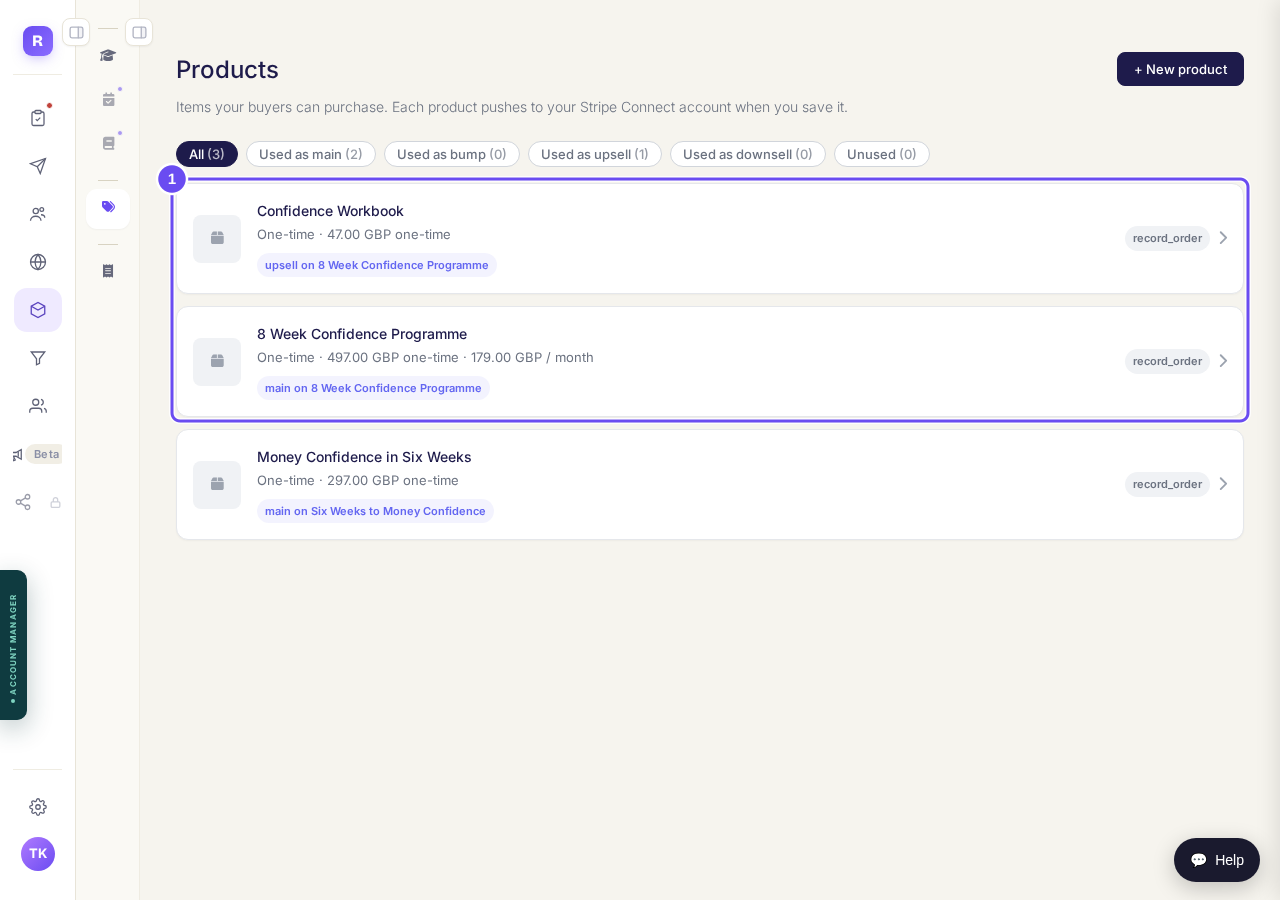
Your products, in Products under Prices & offers.
Ask Claude to put it on your funnel
It adds the product to your order page, and the order form shows its name and price.
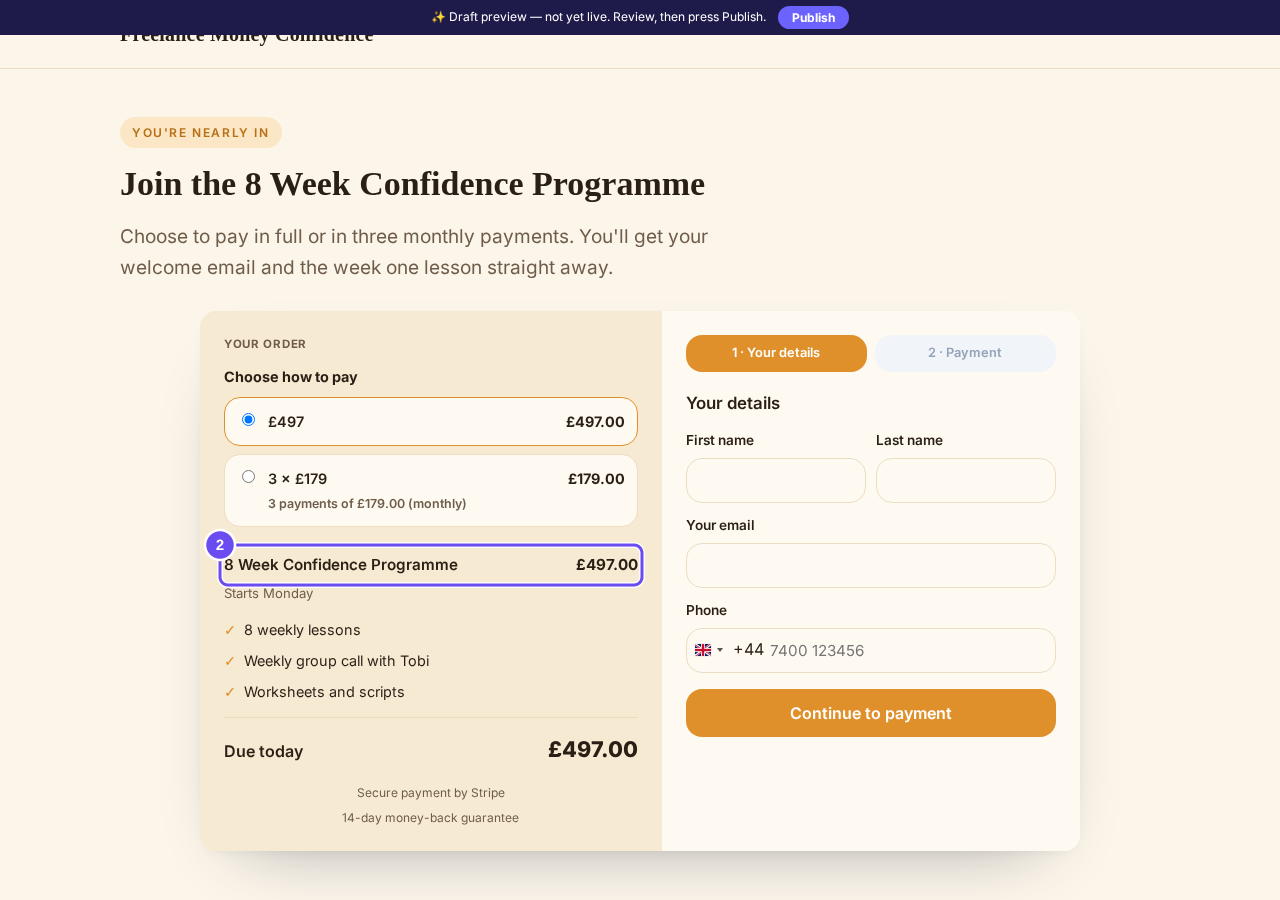
The order page, showing the product and its price.


How do I build a funnel with Claude?
Related articles
Can I just tell Claude to do it?
Every guide here is a screen you can press. This is the other way in: connect your own Claude and describe what you want.
How do I build a funnel with Claude?
Pick a design, describe your offer, and Claude writes the pages and attaches your products. You preview it and press Publish.
How do I build and change a course with Claude?
Claude plans your course with you, builds it once you have approved the plan, and writes the lessons in your words. Anything it wants to change after that waits for your yes.