
I removed my domain by mistake. How do I get my website back on it?
Add the same domain back within 14 days. Once it is verified, its card offers your sites back with one button. About ten minutes, most of it waiting for your domain company.
Updated 6 October 2026
Open Settings, then Domains, and press Connect Existing
Connect Existing is at the top right of Your Domains. If that domain was your only one, you see two choices instead: press Connect My Domain under I already have a domain.
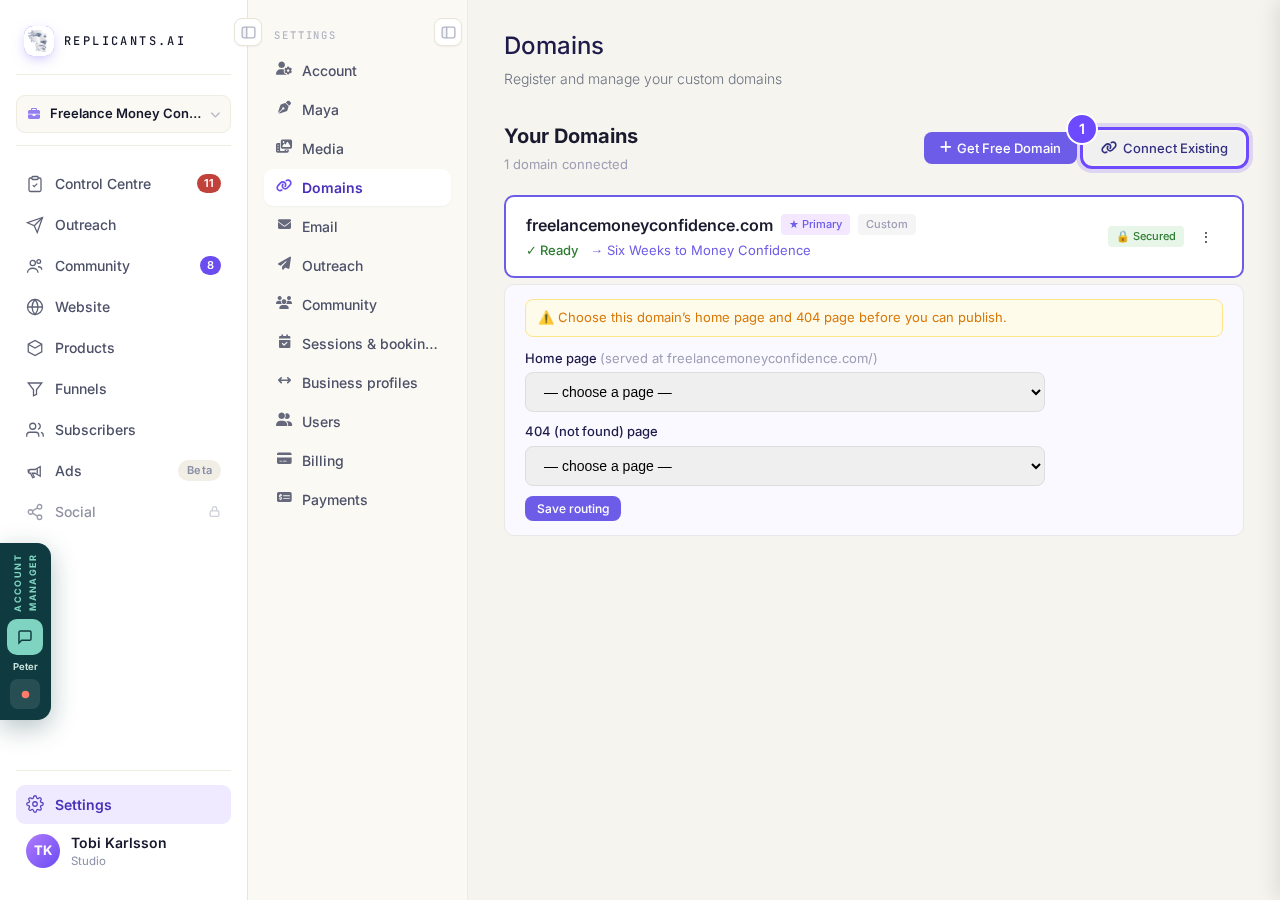
Settings, then Domains, and Connect Existing.
Take me thereType the same domain and press Continue
Type it the way it was, like yourname.com or community.yourname.com.
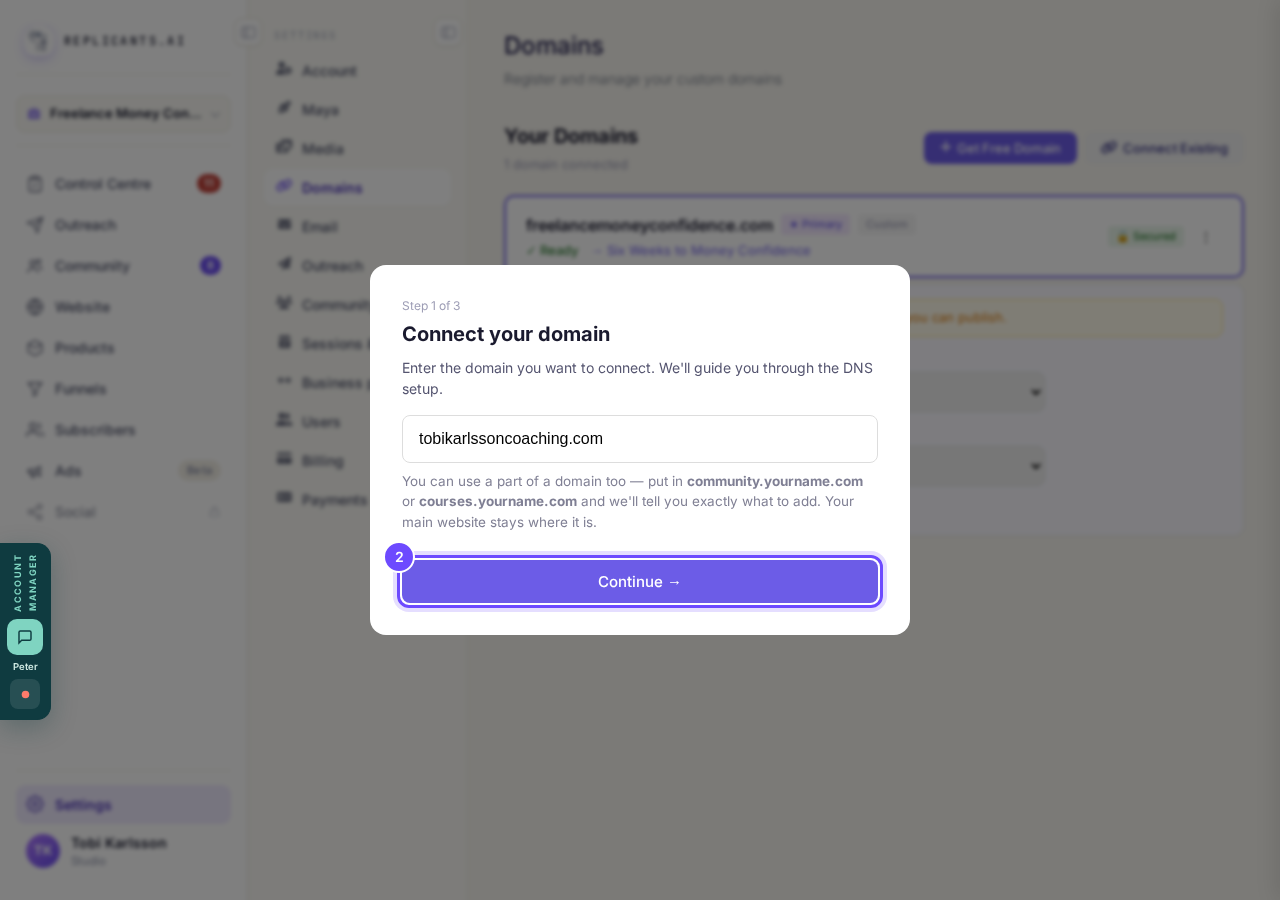
Step 1 of 3: the domain you are connecting.
Change the verification record to its new value
The first line, the TXT record that proves the domain is yours, gets a new value every time a domain is added, so change the old one at your domain company. If you did not touch anything there, the line that sends visitors to your site (the A record) is already right. Then press the purple button at the bottom that starts I've added the records.
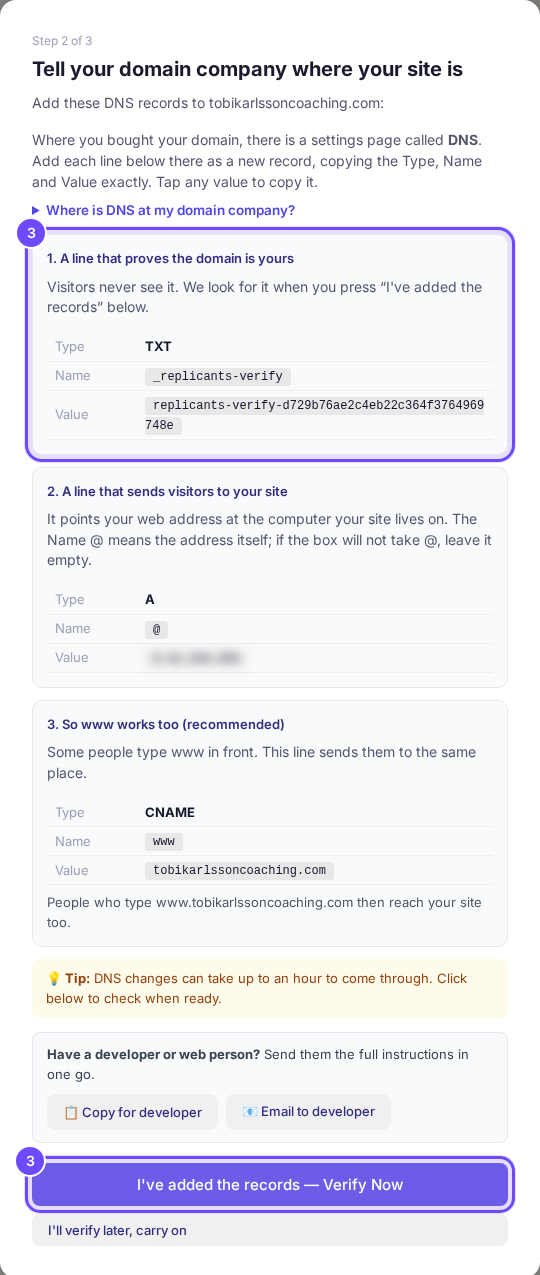
The verification line with its new value, and the button to press when it is added.
Press Put them back on the domain's card
The card says Before this domain was removed it showed, and names each site with its ending, like (home) or (/offer). If there is one site to bring back, the button says Put it back. Until the domain is verified, the card says you can put them back once it is.
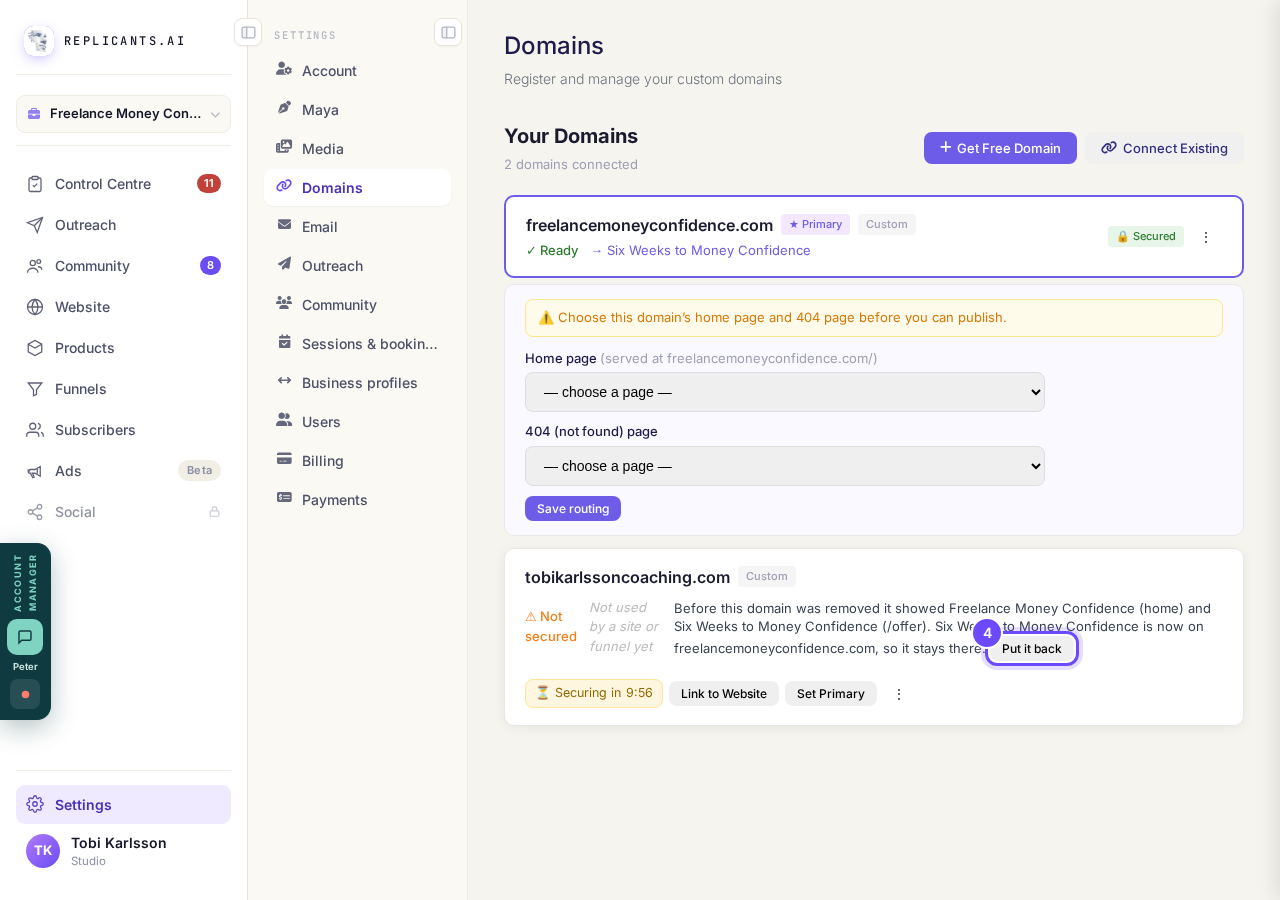
The card names what was on it, with the button beside it.
Take me thereA site that is on another domain stays there
The card says that site is now on the other domain, so it stays there. The button leaves it alone and brings back the rest.
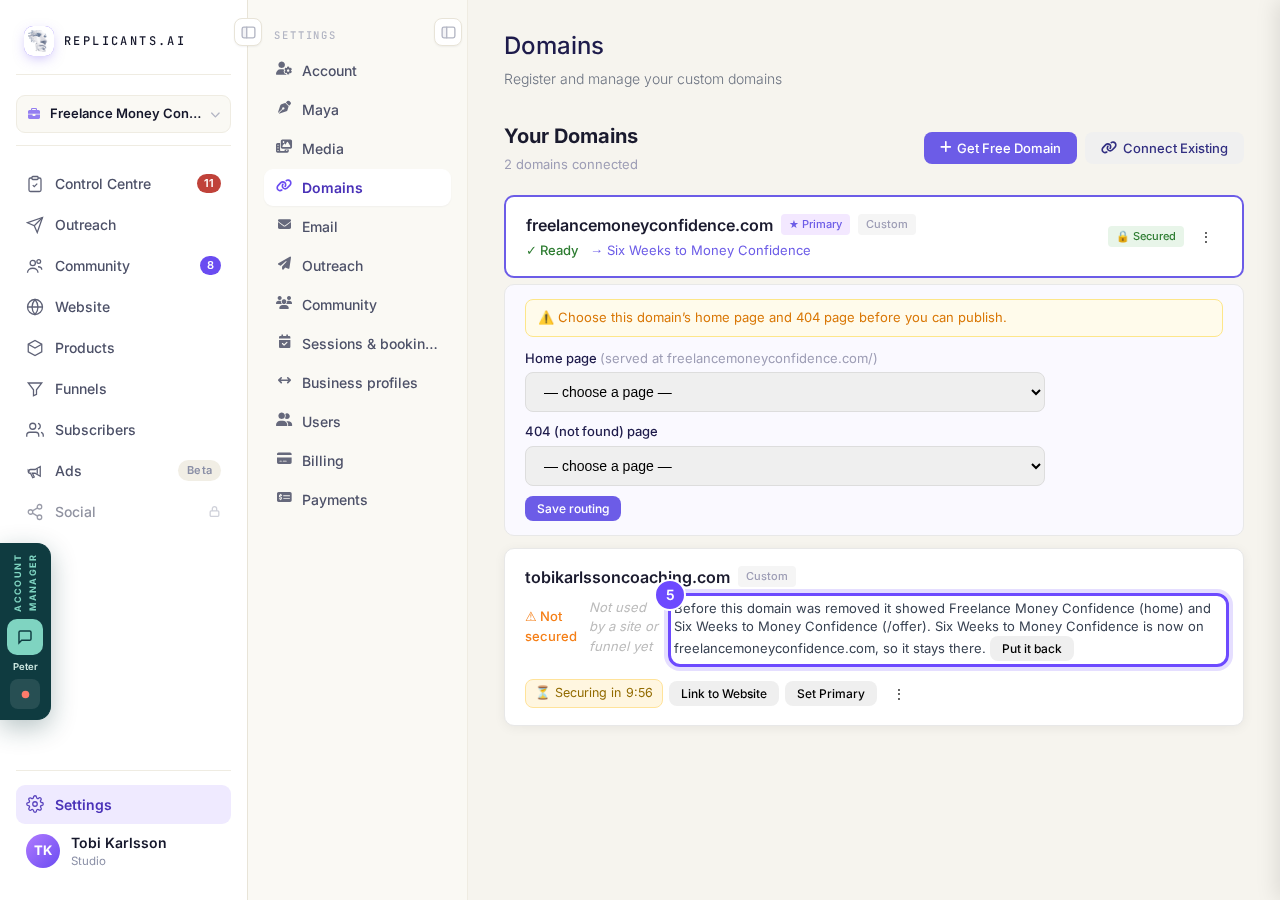
A site already on another domain is named, and not moved.
Read the box before you press Remove
Remove this domain…, in the menu behind the three dots on a domain's card, names every site on it and says they stop working straight away. Keep it closes the box and changes nothing.
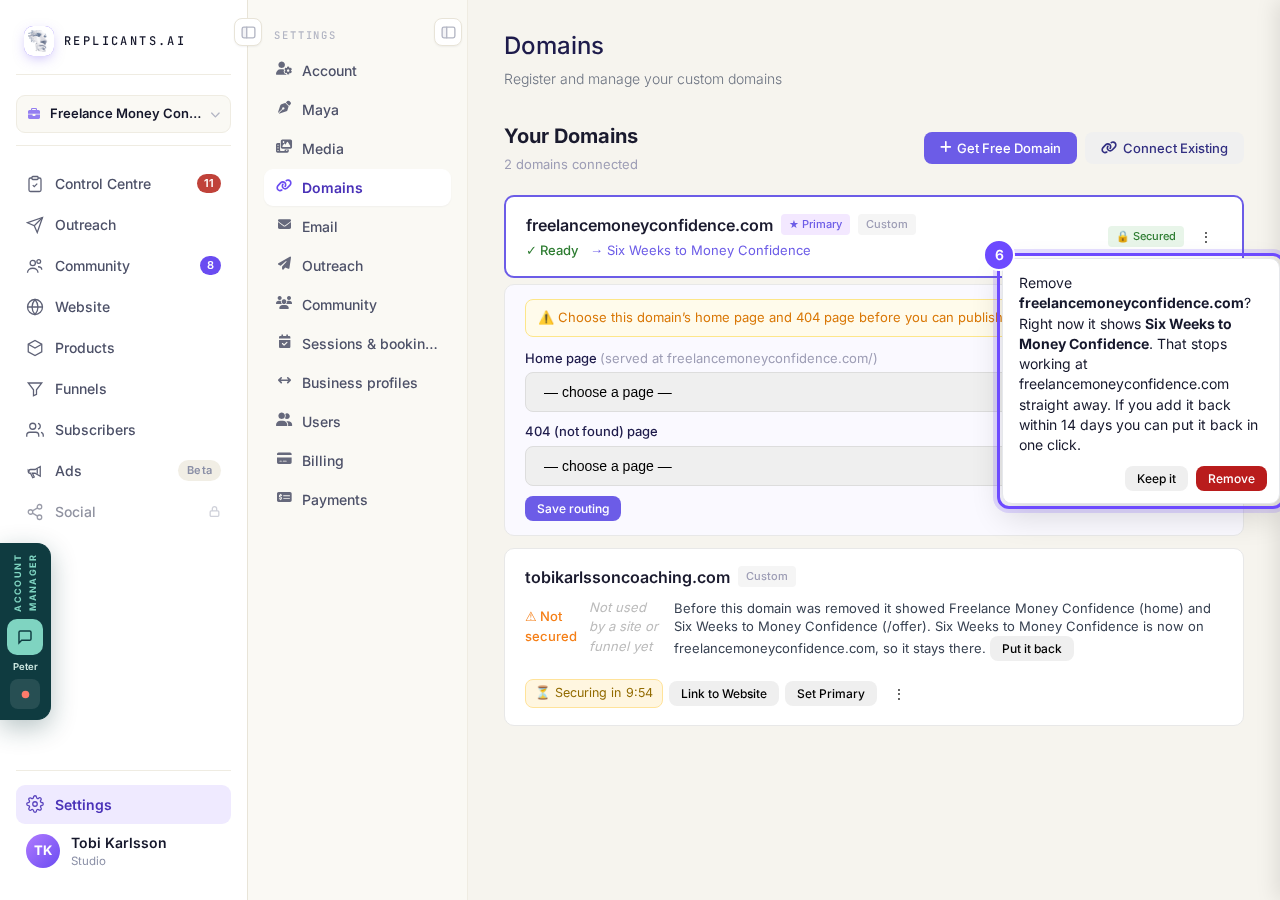
The Remove box says exactly what stops working.
Take me there


How do I use my own web address?
Related articles
How do I add a new page to my website?
You add a page from your website's Manage board. It starts as a draft in your site's design and goes live when you republish. About five minutes.
How do I add a privacy policy and terms to my website?
Every website has a Privacy Policy and Terms & Conditions, linked from the footer. We write them for you, or you upload your own. About two minutes.
How do I change how my website looks?
Everything you can change sits on one board. Open Website, press Manage, and look under Make a change for a tile per kind of change. The whole design is under Design in the Manage list.