
How do I get members into my community?
Two ways in. Invite people by email from the Members screen, up to 50 at a time. For a roomful, send your community link instead.
Updated 13 October 2026
Open Community, then Members
Two things live here. Messages on top, where replies from members land. The directory underneath: everybody who's in, one row each.
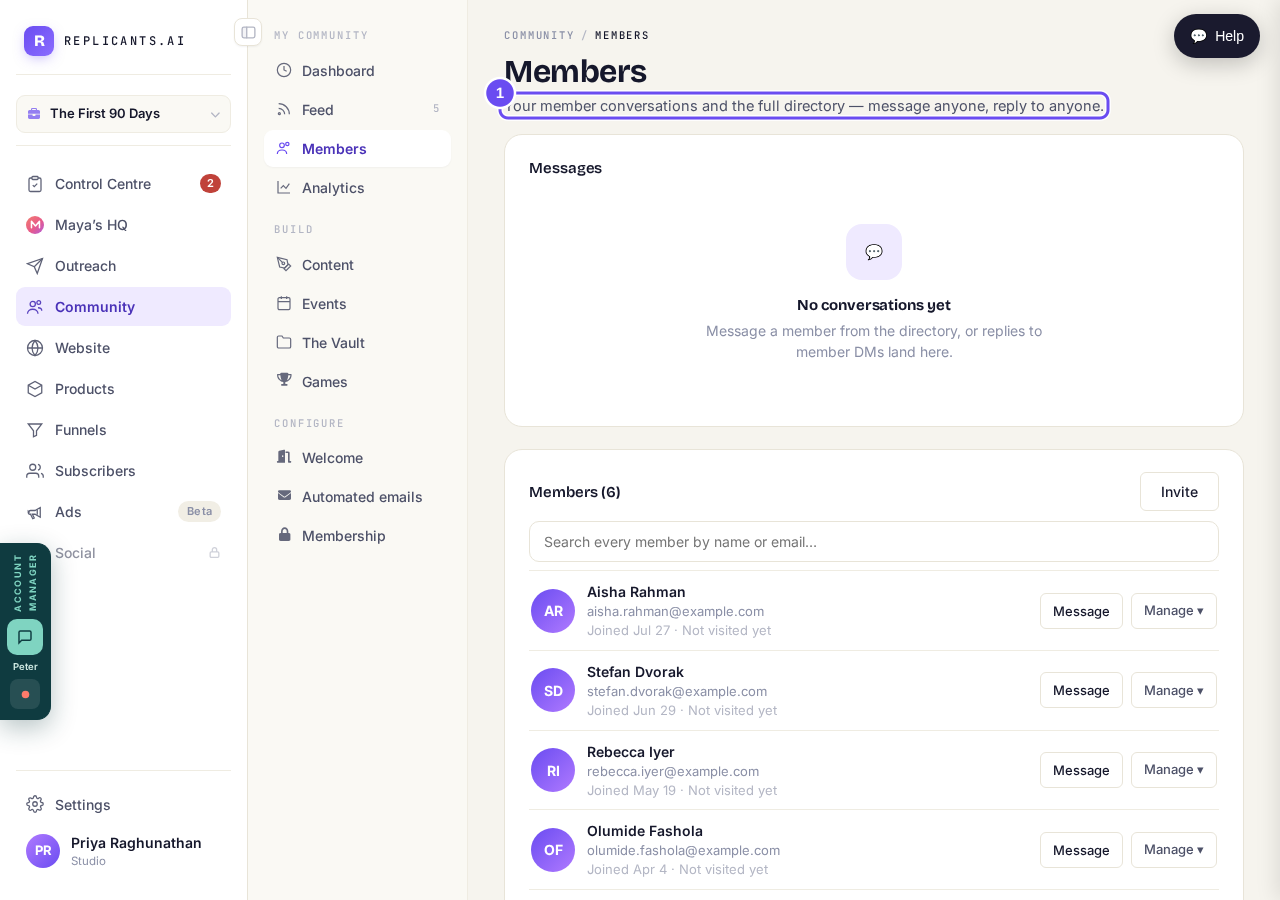
Messages on top, the full directory underneath.
Take me therePress Invite, beside the member count
It sits beside the member count, not at the top of the page. It opens Invite people: type or paste their addresses, one per line, and press Send invites. Up to 50 at a time.
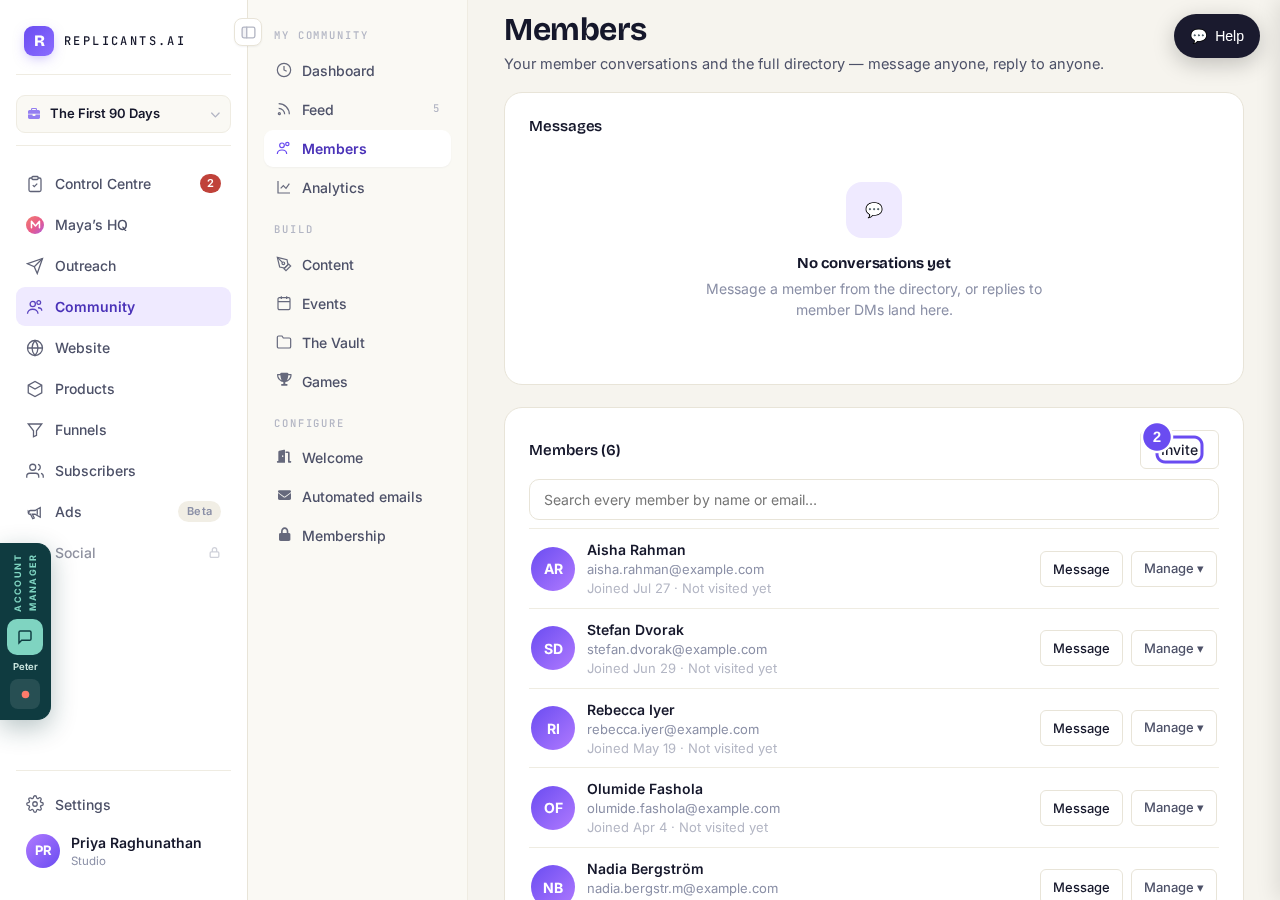
Invite is beside the count, not at the top of the page.
Take me thereWatch for them in the directory
Each person gets an email with a button to join, no password. Under the box, Invited, not joined yet lists who hasn't come in, with Resend beside each. Those are the people worth a nudge.
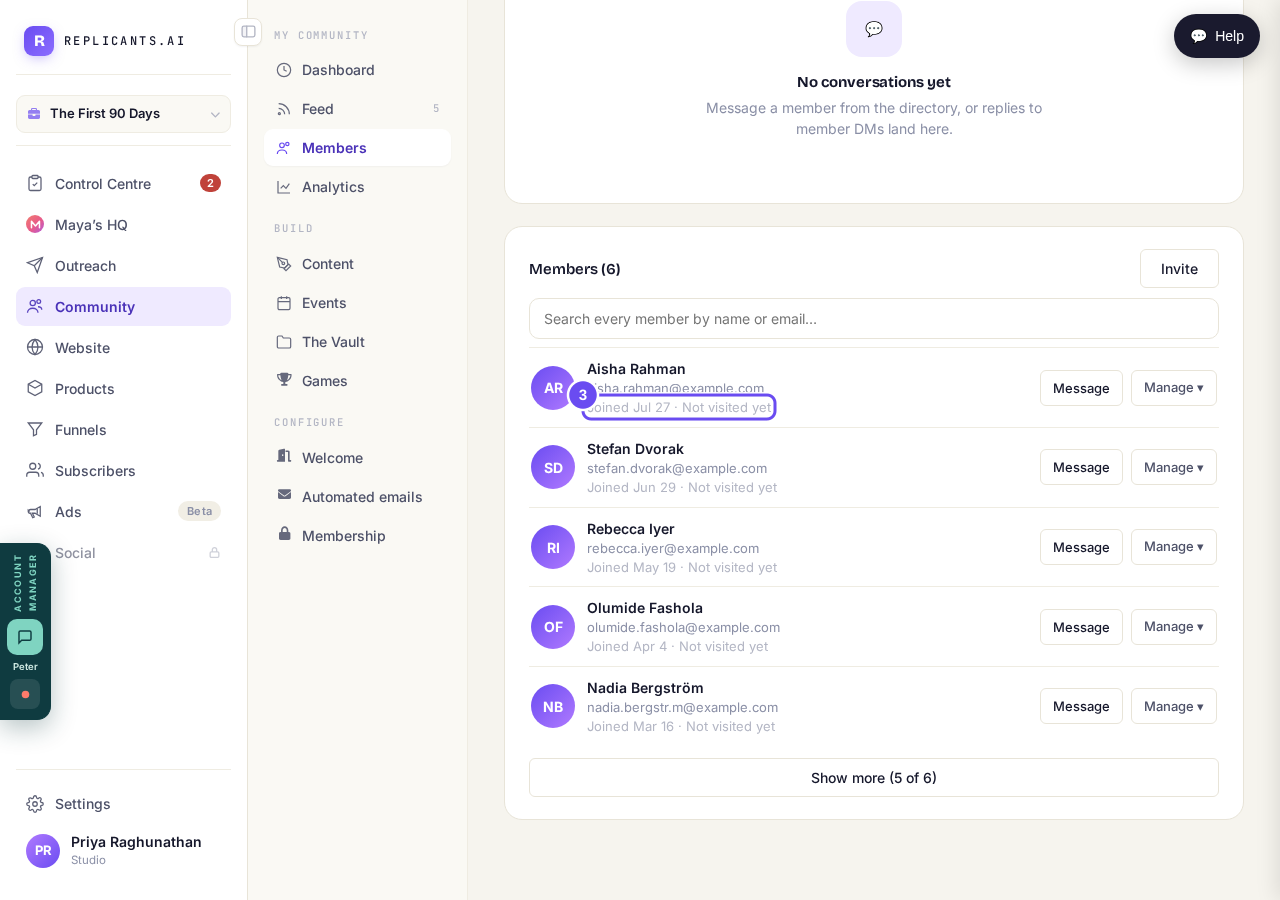
Joined on that date, and whether they have been in yet.
Take me thereMessage, suspend or remove anyone
Message starts a private conversation, and their reply comes back to the Messages panel above. Suspend and Remove sit behind the Manage menu, for the day you need them.
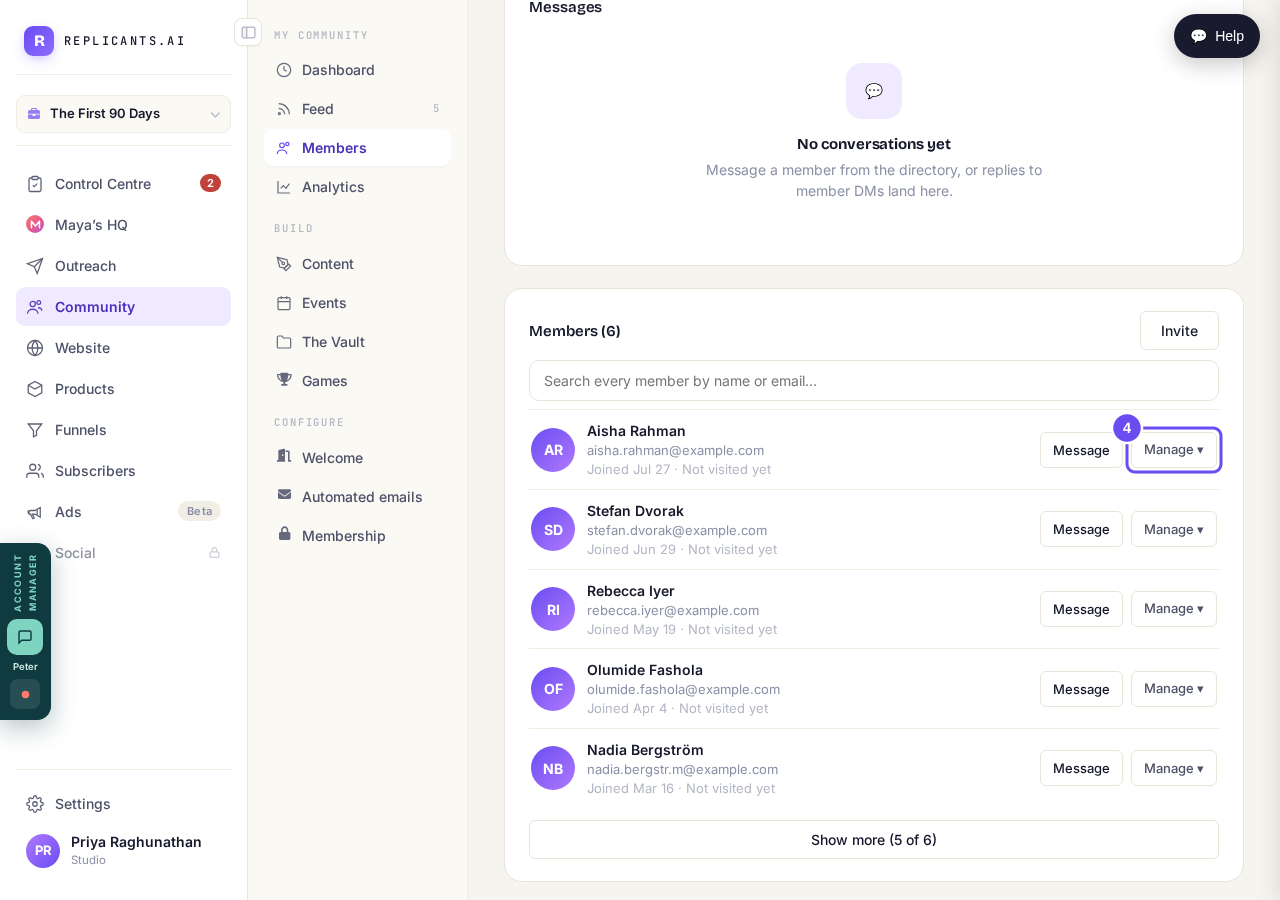
Message, and a Manage menu with Suspend and Remove.
Take me there
Where is my community link, and how do I share it?
Related articles
Can I approve new members before they get into my community?
Yes. Switch on approval and anyone who asks to join waits in a Requests list in Members until you let them in, the way a private LinkedIn or Facebook group works. People you invite, and people who pay, still go straight in. About five minutes to set up.
Can I change a member's post before I approve it?
No. A post waiting for your approval can only be approved or rejected, so you cannot change a member's words. If a few words need changing, approve it and add a comment, or message the member and reject it.
Can I check comments before they go up?
Turn on comment approval and every member comment waits for you. It's a separate switch from the one for posts.