
How do I get Claude to write my funnel's emails?
Claude drafts reminders for people who leave checkout without paying, and a welcome for people who buy. You read each one, approve it and activate it.
Updated 29 September 2026
Ask Claude for the emails
Ask for your funnel's follow-up emails in your voice. Then open Subscribers, then Sequences: they're called Abandoned cart and Welcome.
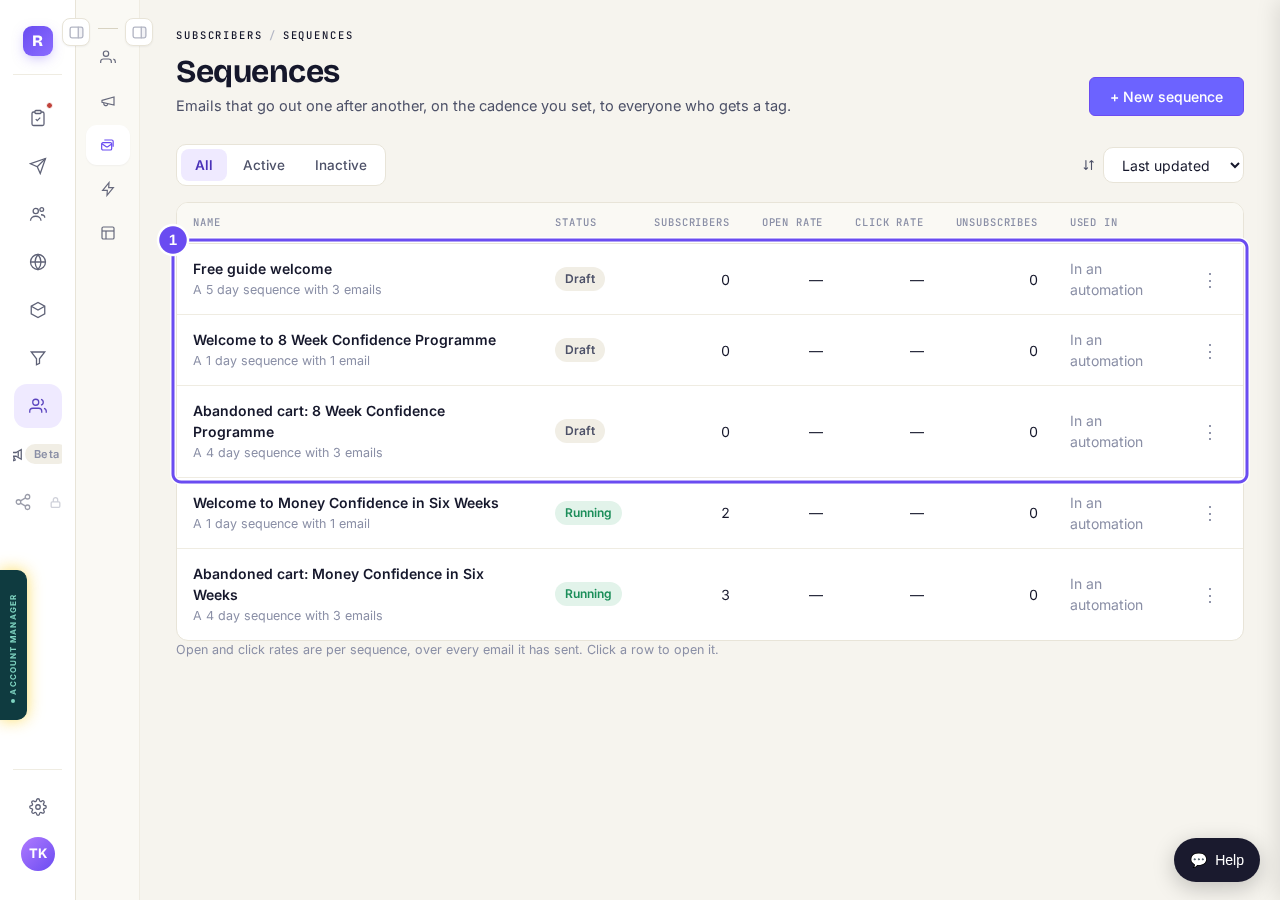
The funnel's emails, waiting in Sequences.
Read and approve each email
Pick each email from the list beside the editor (below it on a phone). Change anything you like, then press Approve this email.
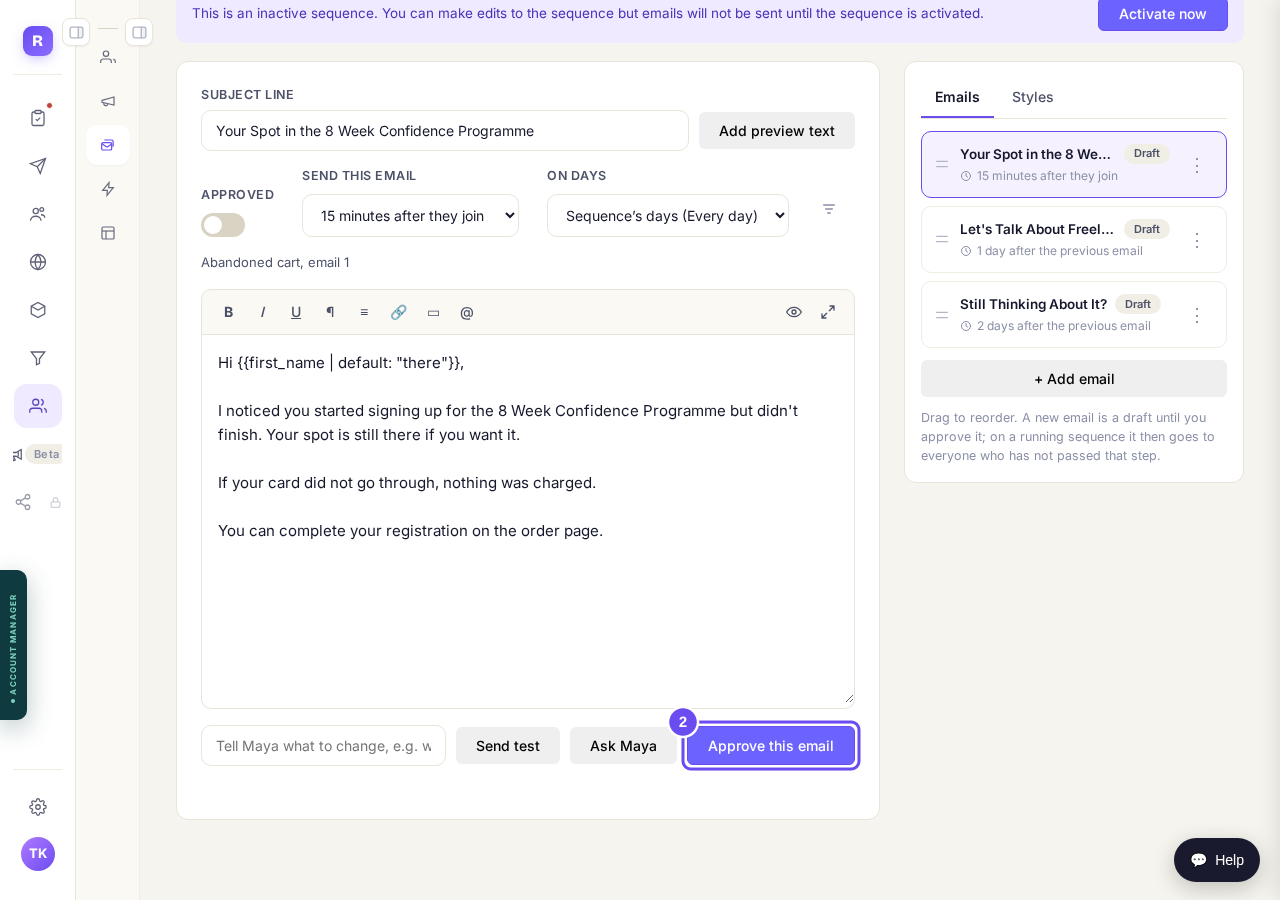
An Abandoned cart email. Press Approve this email.
Press Activate now
Do this for each sequence. From then on, the emails go to the right people at the right time.
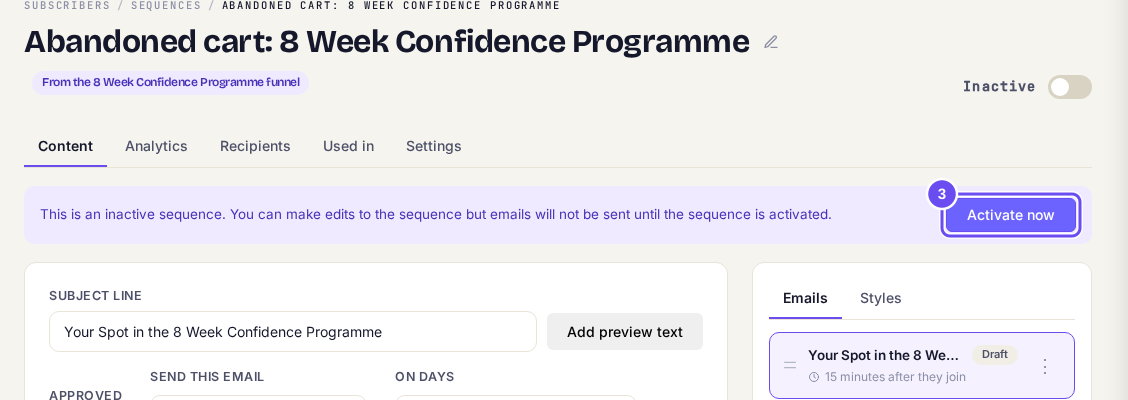
Press Activate now when every email is approved.


How do I build an email sequence with Claude?
Related articles
Can I just tell Claude to do it?
Every guide here is a screen you can press. This is the other way in: connect your own Claude and describe what you want.
How do I build a funnel with Claude?
Pick a design, describe your offer, and Claude writes the pages and attaches your products. You preview it and press Publish.
How do I build and change a course with Claude?
Claude plans your course with you, builds it once you have approved the plan, and writes the lessons in your words. Anything it wants to change after that waits for your yes.