
Do my members need a Replicants account to join my community?
No. Your members join on your own community page, under your name, with an email link or their Google account. No password, nothing to download.
Updated 6 October 2026
They press Join community on your page
This is your own community page, with your name on it. Replicants never asks them to sign up.
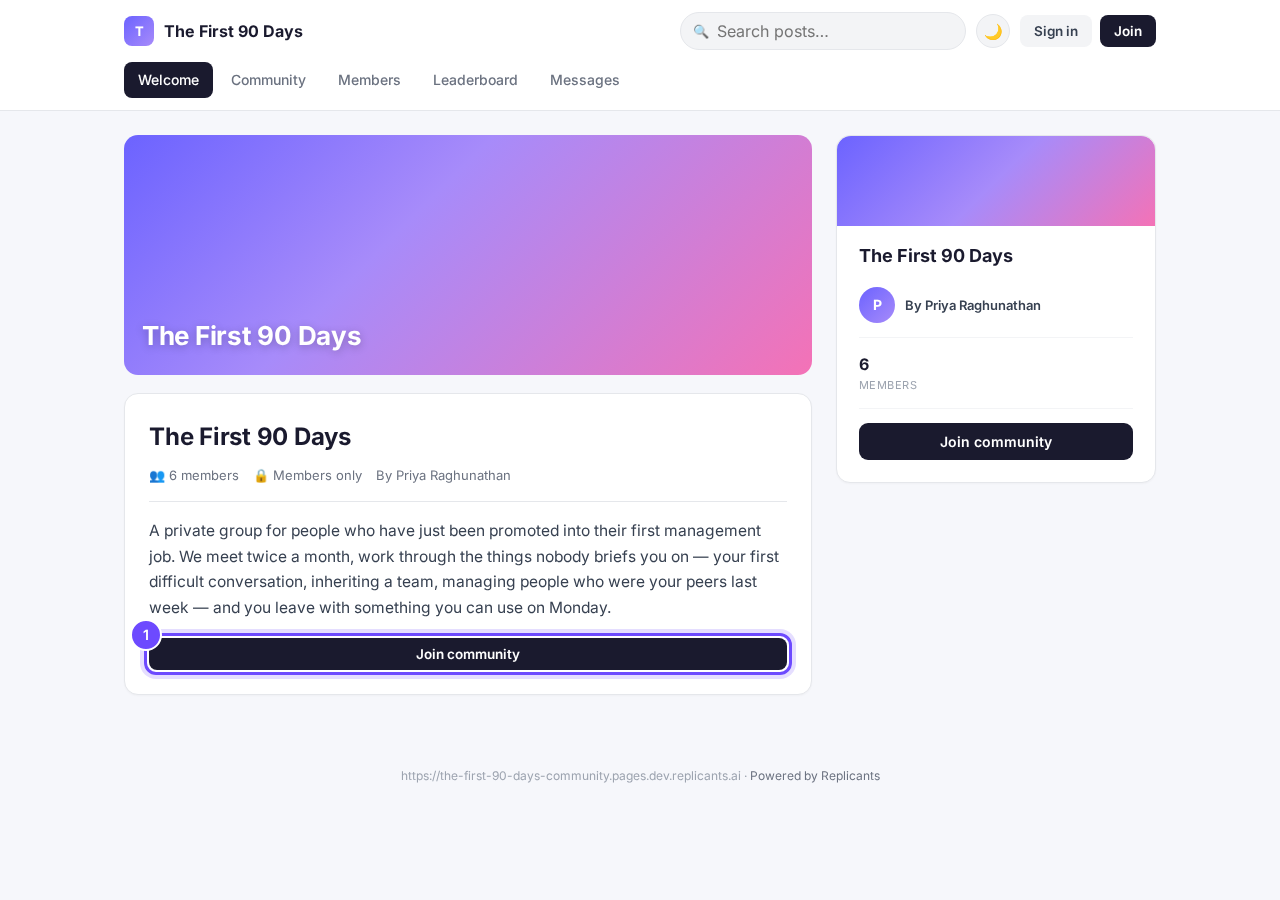
Join community, on the community's own page.
They type their email and press Send join link
The link in that email signs them straight in. There is no password to make up and nothing to download.
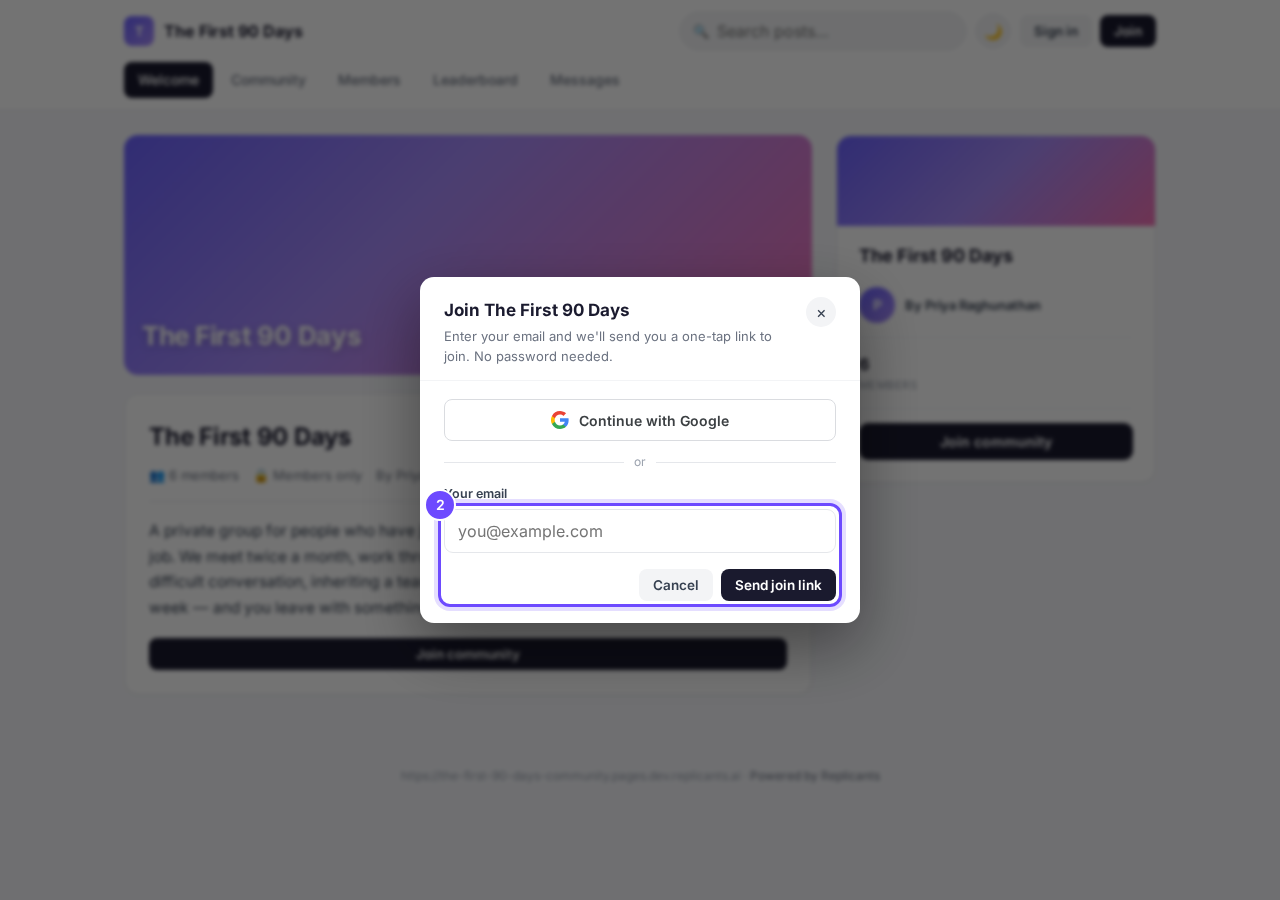
One email box, and Send join link.
Or they press Continue with Google
That signs them in with the Google account they already have, with no email to wait for.
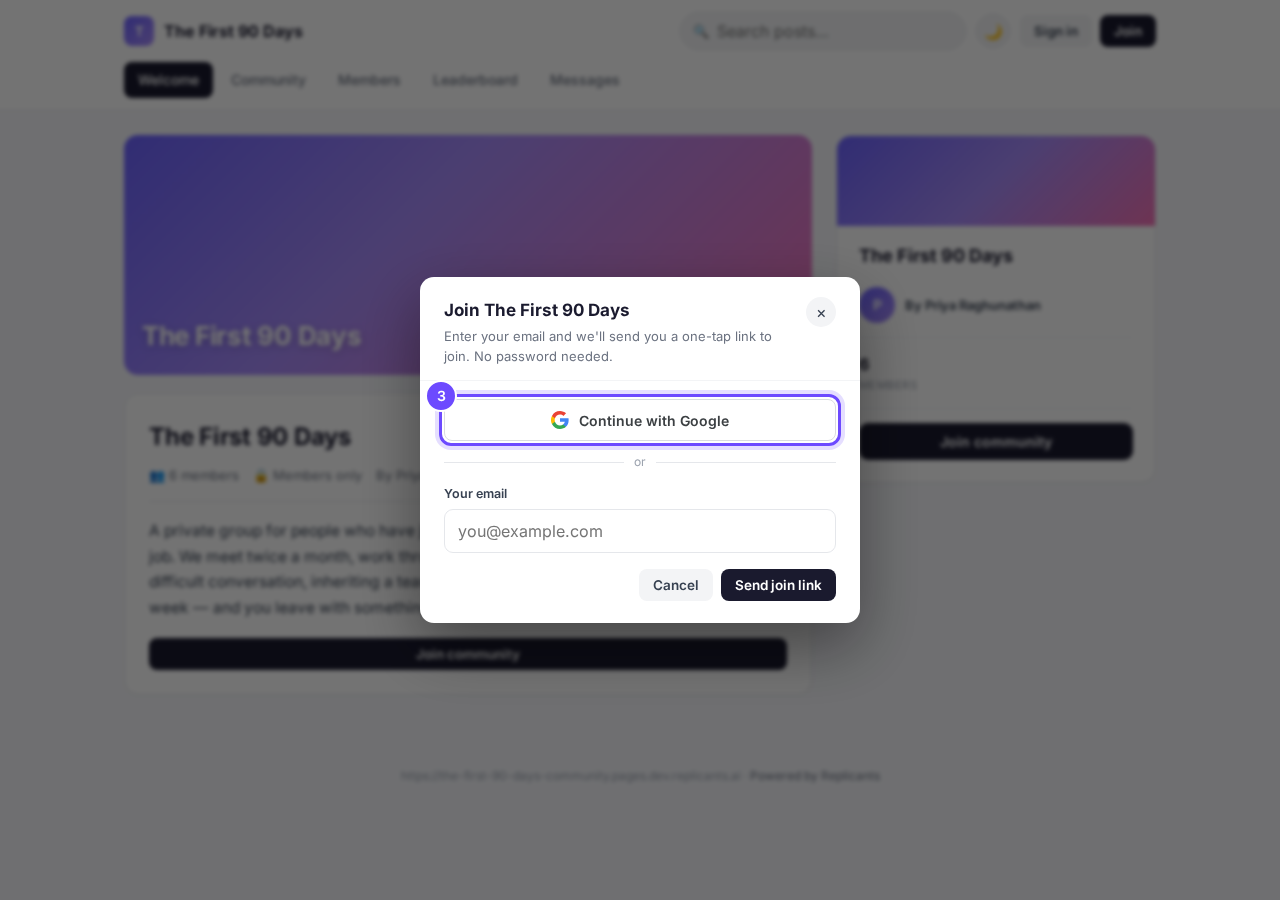
Continue with Google, at the top of the same box.


Can I send new members a welcome DM?
Related articles
Can I approve new members before they get into my community?
Yes. Switch on approval and anyone who asks to join waits in a Requests list in Members until you let them in, the way a private LinkedIn or Facebook group works. People you invite, and people who pay, still go straight in. About five minutes to set up.
Can I change a member's post before I approve it?
No. A post waiting for your approval can only be approved or rejected, so you cannot change a member's words. If a few words need changing, approve it and add a comment, or message the member and reject it.
Can I check comments before they go up?
Turn on comment approval and every member comment waits for you. It's a separate switch from the one for posts.