
I cannot find the screen I am looking for. How are the menus laid out?
Two menus run down the left. The outer one lists areas; the inner one lists the pages inside whichever area you're in. Two presses gets you anywhere.
Updated 29 September 2026
Press a row to open an area
Press a row in the outer strip. It opens that area and fills the inner menu with its pages. A padlocked row isn't in your plan — pressing it shows what it costs instead of opening it.
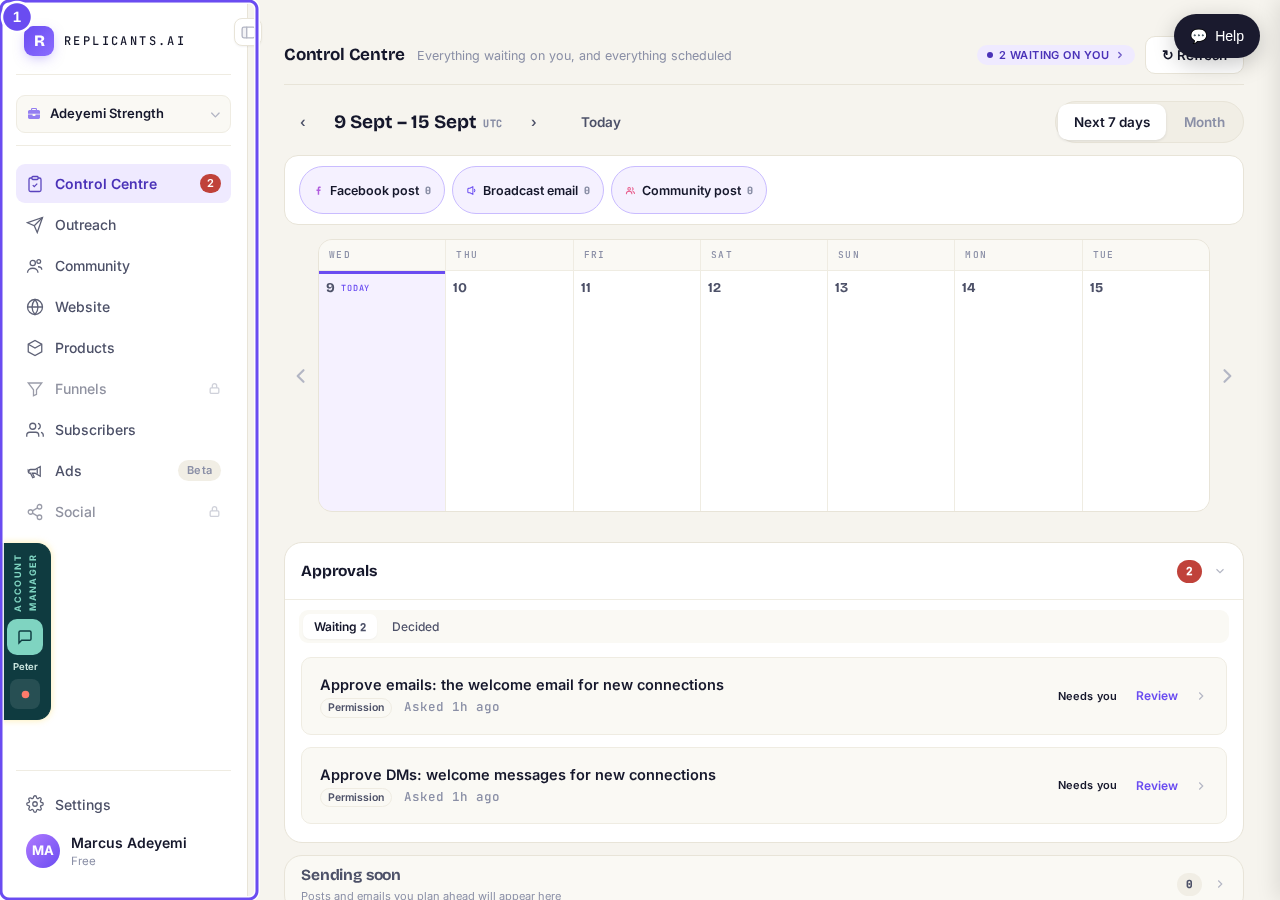
One row per area. The padlocked ones are not part of your plan.
Change the area to change the pages
Choose Website and this column fills with website pages. Choose Subscribers and it changes completely. A missing page is usually the right column, wrong area — change the area on the left and look again.
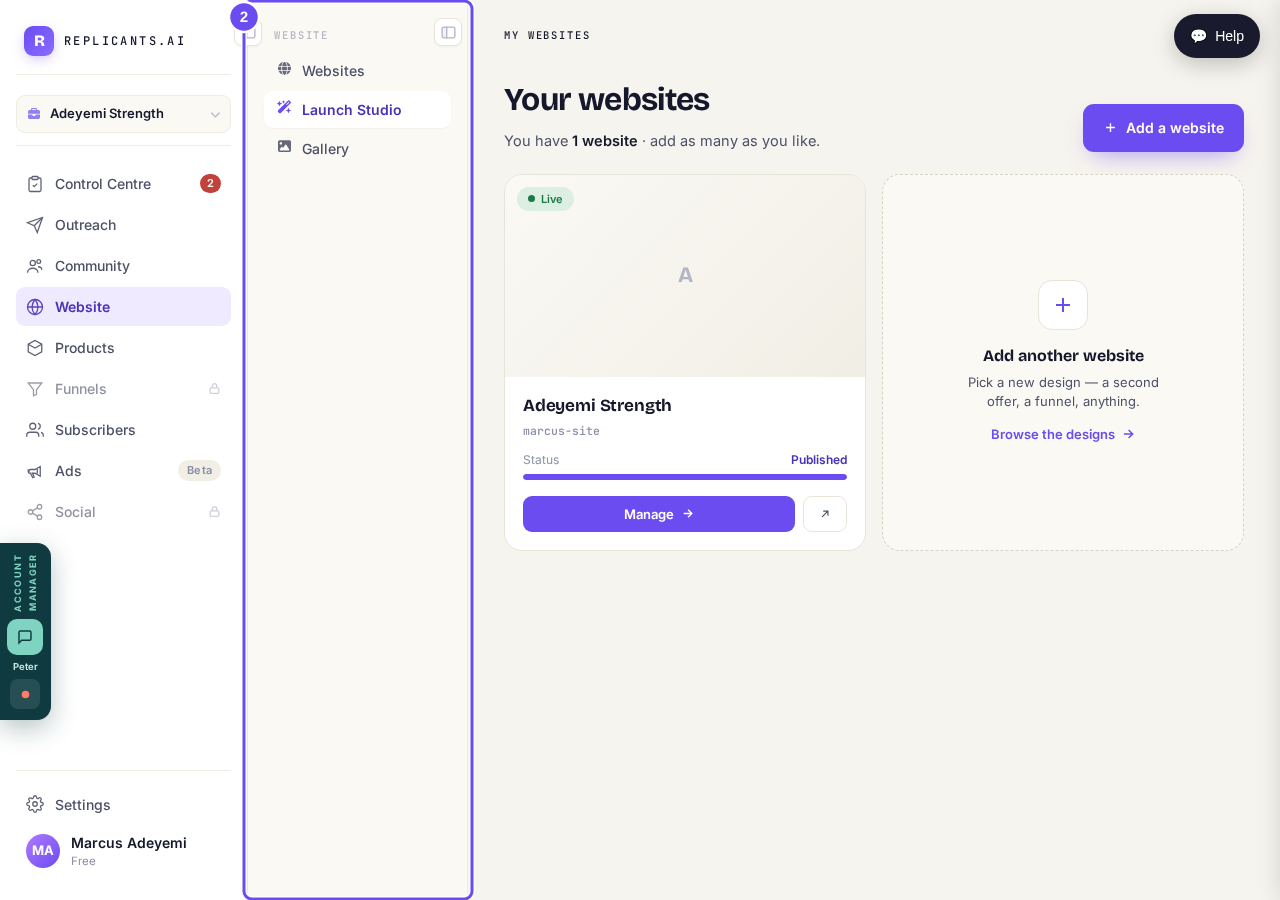
The same column, different contents, depending on the area you chose.
Take me therePress Settings for a page of cards
Press Settings, the last row. It opens a page of labelled cards instead of filling the inner column. Anything about your account rather than your work lives behind one of them.
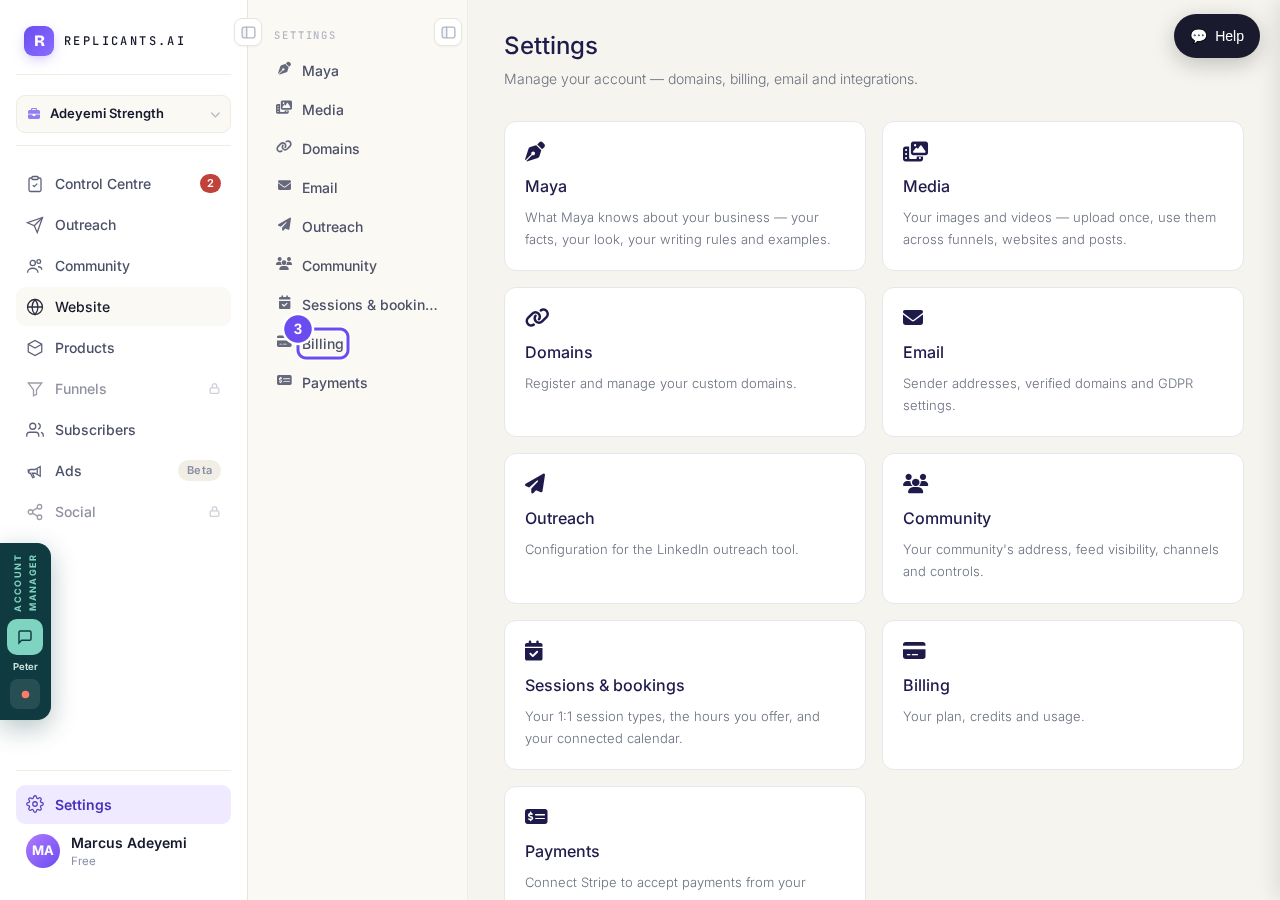
Settings opens cards. Billing, payments, addresses and Maya all live here.
Take me thereFold a menu away for more room
Press the panel button on either menu to fold it flat. Press again to bring it back; your choice is remembered. On a narrow window the outer menu folds itself — widen the window and your choice returns.
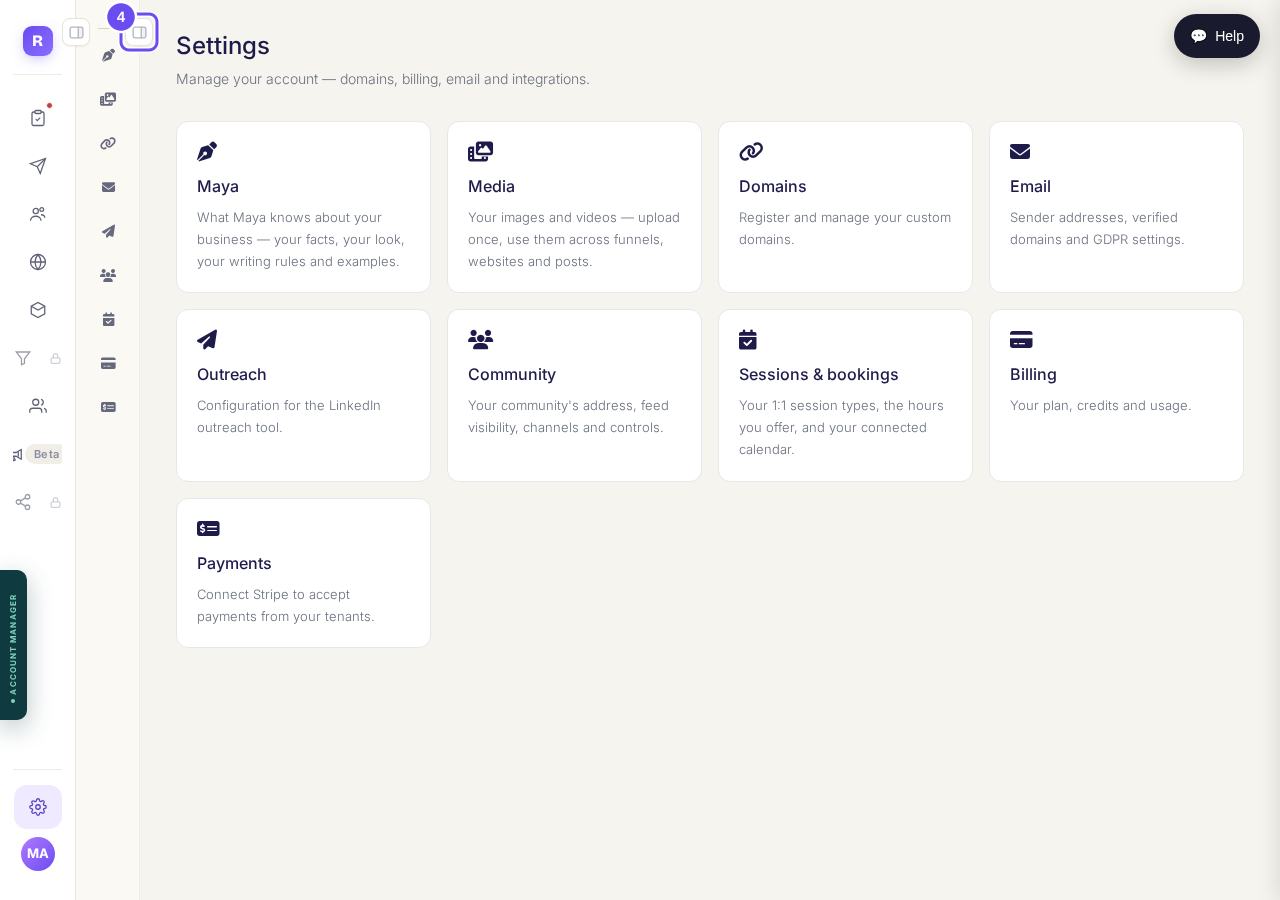
Both folded. On a narrow window the outer one folds itself.
I do not know where to start. What do I do first?
Related articles
Can I talk instead of typing?
Under the boxes you type into there is a **Speak** button. Press it, talk, press **Stop**, and your words are typed into the box for you. It works on a laptop and on a phone.
Do I have to decide on the leads offer right now?
No. Your community is free and works without it. The price for leads is Outreach, a separate paid tool that finds people for your community, and you can say no and carry on building.
How do I ask for help, and where do I see the reply?
Your account manager is one press away on every screen. You write, add a screenshot or leave a voice note, and the reply comes back to the same place. About a minute to send.